




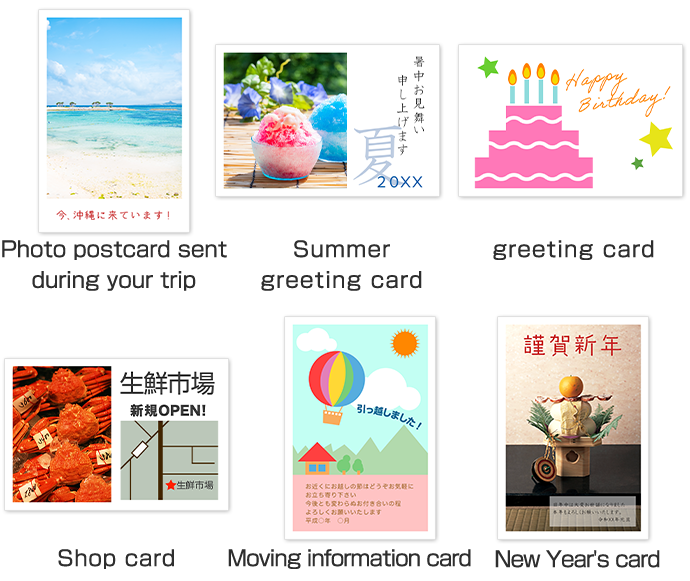
You can create original postcards with favorite photos in your smartphone or PC at Seven-Eleven nearby!
You can print on a postcard that are provided in multi-copier, or also you can bring in standard postcards issued by Japan Post.
| Type | Price (including tax) |
|---|---|
| Black | 20 yen per sheet |
| Color | 60 yen per sheet |
Use the Edit function on the multi-copier (shrink/rotate/move) to freely arrange photo images on the screen and print.
| Item | Detail |
|---|---|
| Postcards that can be used: | Supplied unofficial postcards, standard post cards(100×148mm) issued by Japan Post (normal, and for inkjet printing) |
| Usable media | 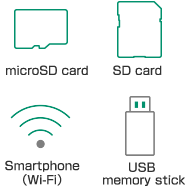 |
| Supported file formats | Document files: PDF (Ver.1.3 to 1.7,2.0), XPS (Ver.1.0), DocuWorks (Ver.3 to 7) Image files: JPEG, TIFF (single page),PNG |
| Page specification | For document files with multiple pages (PDF, XPS, DocuWorks), specify a single page that you want to print |
| Multiple sets | 1 to 99 sets |
| Image editing | Enlarge, reduce, move, rotate |
| Supported sizes for image files | Minimum: 54 x 54 pixels Maximum: 7 million pixels (vertical pixels x horizontal pixels) |
- There are some file formats that are not supported.
- JPEG 2000 is not supported. (The same applies to cases where JPEG 2000 is included in a PDF file, etc.)
- Printing is not possible on a margin of a few mm on the edges of postcards.
- If a font not supported by the multi-copier is used, you may not be able to change the layout or print the image.
- Postcards for photo, or postcards already printed cannot be used,as they may cause malfunctions.
- Postcards of a size other than standard postcards (100 x 148 mm) cannot be used, as they cause malfunctions.
- Make sure to back up the data on storage media beforehand.
- After inserting your storage media, do not remove it until instructions are given.
- If printing a file from a smartphone, the free, dedicated application (Seven-Eleven Multicopy) is required.