



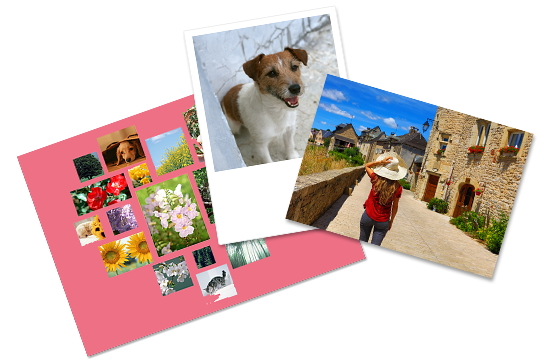
Equipped with Fujifilm's high-quality printer,you can print photos in natural color and color shades.
Not only with USB and SD card, you can also print photos in your smartphone with smartphone app!
| Type | Price (including tax) |
|---|---|
| Normal Photo Print (L size) | 40yen |
| Normal Photo Print (2L size) | 100yen |
| Square Print (L size only) | 40yen |
| ID Photo Print (L size only) | 250yen |
| Split Print (L size) | 40yen |
| Split Print (2L size) | 100yen |
| Index Print (L size) | 40yen |
| Index Print (2L size) | 100yen |
| Shuffle Print (2Lsize only) | 500yen |
| Share Print (Lsize) | 200yen |
| Share Print (2Lsize) | 300yen |
| Calendar Print (Lsize) | 200yen |
| Calendar Print (2Lsize) | 300yen |
Use the Wi-Fi communication function with your smartphone to print your favorite photos stored in your smartphone on the spot! (iPhone/Android)
Easily print photos of your children.
Print photos that you took during your vacation at a store nearby!
Print photos of yourself with ID photo size prints!
- Applying for certification examinations
- Individual Number Card(My Number Card)
- Resume
With Fujifilm's "Image Intelligence™", an image processing technology, a person's skin texture is automatically adjusted, and printed with skin looking smooth and beautiful, while keeping a natural look.
- * "Image Intelligence™" is a trademark of FUJIFILM Corporation.
| Item | Detail | |
|---|---|---|
| Photo paper size | L size(89×127mm), 2L size(178×127mm) | |
| Usable media | 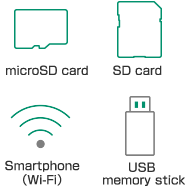 |
|
| Supported file formats | JPEG, TIFF, BMP, PNG | |
| Multiple sets | 1 to 99 sets (for ID Photo Print, 1 to 50 sets) | |
| Image editing | Reduce, Enlarge, Move, Rotate, Beautiful Skin Correction, Date Printing | |
| Supported sizes for image files | Minimum: 54 x 54 pixels, Maximum: 4 million pixels (vertical pixels x horizontal pixels) Aspect ratio: Long edge/Short edge is 11 or less | |
| Maximum number of importable images | 6,660 images | |
- There are some file formats that are not supported.
- JPEG 2000 is not supported.
- Print image quality depends on the camera's settings and conditions.
- Rather than the image, the circumference is trimmed and printed.
- When the image is made smaller using image editing, prints may be made with a margin.
- If the print surface is in contact with soft PVC material (soft cases, desk mats, etc.) for the long period of time, the photo may stick onto such material.
- ID Photo Print is not suitable for passport applications.
- The sizes of ID photos are subject to change. For the latest information, check with the respective application submission destination.
- Make sure to back up your data on storage media beforehand.
- After inserting your storage media, do not remove it until instructions are given.
- If printing a file from a smartphone, the "Seven-Eleven Multicopy" app is required.
- Calendar Print and Share Print are only available through the "Seven-Eleven Multicopy" app. Direct printing from USB, SD cards, or MicroSD cards is not supported.