


Paperless fax function automatically stores received faxes into folders which can be transferred to a PC or sent as emails
- Received faxes can be forwarded to your mobile device by email
- Received faxes can be transferred to Working Folder*1
- It can be sorted by fax number, date received, and person in charge*2
- Incoming fax processing can be switched by time, day of the week and period*2
- For example, you can switch from paper-based output to an electronic transfer in a single operation*2
- *1 Cloud services provided by FUJIFILM Business Innovation. A separate contract is required.
- *2 Optional.
With Working Folder*3 and internet access, documents can be viewed regardless of time and location.
- Can be linked smoothly with multifunction devices, DocuWorks, and mobile devices
- Documents in Working Folder can be printed from the control panel
- Scanned documents will be assigned a file name and stored in Working Folder. An email notification will be sent to relevant users
- *3 Cloud services provided by FUJIFILM Business Innovation. A eparate contract is required.
With Cloud On-Demand Print*4, you can register documents from a PC or mobile device to the cloud server and print them from the designated multifunction device.
- Can be operated securely using a User ID and password
- Fear of loss or stolen data is minimised
- No dedicated driver is required
- *4 Cloud services provided by FUJIFILM Business Innovation. A eparate contract is required.
Cloud Service Hub*5 allows single sign-on to multiple cloud storage services.
- Specific storage location can be assigned for scanned documents directly from the multifunction device
- Searching documents from multiple cloud services is supported
- Full-text search on scanned documents can be per-formed with OCR
- *5 Cloud services provided by FUJIFILM Business Innovation. A separate contract is required
With Server-less On-Demand Print*6, you have the flexibility to print outs from any of the connected multifunction devices
- Improves productivity by printing from another available multifunction device when the current device is in use
- Up to 100 units can be linked
- Specific job settings can be revised at the device level to save time (1 sided to 2 sided, all monochrome)
- *6 Optional.
Supports Wireless LAN environment*7.
- Using Wi-Fi Direct, up to five mobile devices can be connected simultaneously at given time with single multifunction device
- *7 Optional.
Information is an important asset which should be protected at all cost
Multiple options of setting user authorisation allow administrator to select a right combination as per given environment.
- Local Authentication
- Authentication by Remote Server*8
- IC Card Authentication*8
- User-specific feature access
- Private Charge Print
Additional layer of unwanted access can be created for specific users. (e.g. guests).
- Secondary Ethernet Kit*8
- *8 Optional.
Protects against any malicious intent of hacking, tampering with device / system settings.
- Encryption of stored data
- Uses TPM*9 2.0 chip for encryption key management
- Deletes settings and document information all at once
Protects the information by means of strong encryption while transferring it between devices, servers etc.
- Encryption of communication paths by SSL/TLS or IPsec
- Encryption when transferring via SMBv3 and SFTP
- Scan file encryption/signature
- Email encryption and signature by S/MIME
- TLS version limit
- Elliptic curve cryptography
- WPA3
- *9 Trusted Platform Module
Protects device settings at multiple levels by clearly demarking change restrictions for different target audience - End users, IT administrators and Service Engineers.
- Service representative operation restriction
- Account lock to prevent unauthorised access
- Information for changing the default password
- Warnings displayed when using global IP address
Prevents unauthorised program from installing without notice. Robust IT audits are supported with device data logs for easy tracking.
- Software signature verification
- Remote update restrictions
- IP address filtering
- Tampering detection at startup and automatic restoration when tampering is detected
- Prevention of tampering during operation
- Audit log
- Audit log system transfer
Prevents information leakage due to inadvertent mistakes by administrators and users.
- Scan documents to be delivered to fixed destination
- Re-enter fax recipient
- Annotations
- Hidden text printing*10
- Digital code embedding and tracking function*10
- *10 Optional.
- Certified with ISO/IEC 15408, which is the international standard for designing and operating IT security
- Bypass Tray (Standard)*11
52 to 350 gsm
250 sheets
- 1,300 mm Long paper*12 - Multi Sheet Inserter for Banner Print*11
52 to 350 gsm
250 sheets
- 1,300 mm Long Paper*12
- 660 mm Long Paper*13
- High Capacity Feeder B1
52 to 220 gsm
2,000 sheets × 1-tray
- A4 Size
- High Capacity Feeder B1-S
52 to 300 gsm
2,000 sheets × 1-tray
- Cabinet
- Air Assist
- Multi-feed Detection
- High Capacity Feeder C3-DS
52 to 350 gsm
2,000 sheets × 2-tray
- Air Assist
- Multi-feed Detection
- Note: Supported paper weight for long paper is 52 to 220 gsm.
- *11 Installed directly to the printer, or installed on the top of High Capacity Feeder C3-DS or B1-S. Paper weight up to 300 gsm is supported when installed on the top of High Capacity Feeder C3-DS or B1-S.
- *12 When installed directly on the printer unit.
- *13 When installed on the top of High Capacity Feeder C3-DS or B1-S.
- Interface Decurler Module D1
- Real Time Curl Correction
(3 Levels Upward / Off / 3 Levels Downward) - Inserter D1
- Cover / Sheet Insertion - High Capacity Stacker A1
- 5,000-sheet Stacking
- Stacker Cart
- Long Paper Stacking*14 - Crease / Two-sided Trimmer D2
- Two-Sided Trim
- Crease
- Folder Unit CD2
- Z Fold Half Sheet / Tri-Fold - Finisher D6 / Finisher D6 with Booklet Maker
- Sort / Stack
- Staple (100 sheets)
- Punch*14
- Saddle Staple (30 sheets) / Single Fold*15
- Long Paper Stacking*14 - Square Back Trimmer D1
- Face Trim
- Square Back
- Interface Module D1
- Real Time Curl Correction
(Upward / Off / Downward)
- Slim Connection Module
- Note: When using [8] , the output options that can be connected are [5] and [6] only. Other output options that can be connected with Finisher D6 / Finisher D6 with Booklet Maker cannot be connected.
- Folder Unit CD3
- Z Fold Half Sheet / Tri-Fold - Finisher-C4 / C5 Finisher-C4 / C5 with Booklet Maker
- Sort / Stack
- Staple (50 sheets / 65 sheets*14)
- Staple-free Staple(10 sheets)*15
- Punch*16
- Saddle Staple (20 sheets) / Single Fold*17
- Note: Simple Catch Tray / Offset Catch Tray / Long Catch Tray are available if post-processing is not required.
- *14 Optional.
- *15 For Finisher D6 with Booklet Maker.
- *16 Staple-free Stapling is available with Finisher-C5 and Finisher-C5 with Booklet Maker.
- *17 For Finisher-C4/C5 with Booklet Maker.

Cover / Sheet Insertion
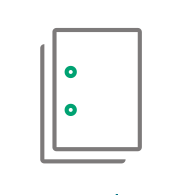
Punch
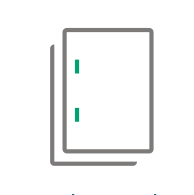
Side Stitch

Saddle Staple

Single Fold

Z Fold Half Sheet

Tri-Fold

Crease

Face Trim
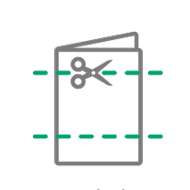
Two-Sided Trim
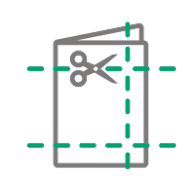
Full Bleed Trim

Square Back
- Note: Full Bleed Trim is made by Two-sided Trim and Face Trim.