










Choosing a printer for a high-volume office requires more than comparing print speed or image quality. The device must support regular workloads, minimise interruptions and provide predictable operating costs.
This guide explains how to assess monthly print volume, paper capacity, scanning requirements, security and support. It also outlines when laser or inkjet technology may suit different office workloads.
High-volume office printing involves frequent document output that requires dependable performance, suitable paper capacity and efficient job processing. 8000-10000 pages per month would be considered high volume. This guide covers shared office environments, not commercial or production printing.
Review print-management data, recent billing records or device counters to establish typical monthly volume. Account separately for predictable peaks, such as audits, reporting periods or major projects.
- Maximum monthly duty cycle: the upper operating limit stated by your current printer manufacturer. It should not be treated as a routine target.
- Recommended monthly print volume: the range intended for regular use. Use this figure when comparing shortlisted models.
Choose a device whose recommended range covers your normal workload and expected peaks.
- Recommended monthly volume: Check whether the stated range supports regular demand.
- Print speed: Consider whether the device can manage queues during peak periods.
- First-page-out time: Compare how quickly short jobs begin printing.
- Paper capacity: Review input and output capacity to reduce interruptions.
- Automatic two-sided printing: Confirm support for routine duplex printing.
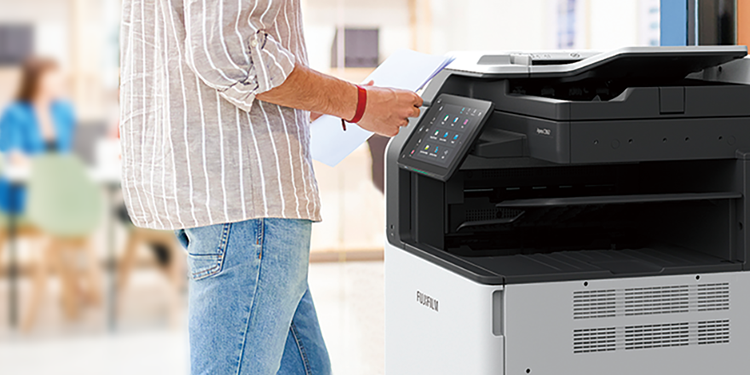
- Scanning capacity: For multifunction devices, compare document feeder capacity and scan speed.
- Media support: Check required paper sizes, weights, envelopes and labels.
- Security: Look for user authentication, secure print release and access controls.
- Management tools: Assess whether administrators can monitor usage and apply print policies.
- Service support: Understand maintenance arrangements and response options.
Laser printers commonly suit text-heavy office workloads requiring consistent output at scale. Inkjet technology may better suit specialised colour applications.
Technology alone should not determine the choice. Compare the recommended monthly volume, paper handling, output quality, supplies, energy use and support for each shortlisted model.
For a broader technology comparison, read Laser or Inkjet: Find the Ideal Printer for Your Business.
- Purchase price and required accessories
- Supplies cost and available yields
- Maintenance and replacement intervals
- Energy consumption
- Device monitoring and administration
- Expected service arrangements
- Confirm typical monthly volume and predictable peaks.
- Compare the recommended monthly volume, not only the maximum duty cycle.
- Check print speed, first-page-out time and two-sided printing.
- Review paper input, output and media support.
- For multifunction devices, compare feeder capacity and scan speed.
- Confirm authentication, secure print and management controls.
- Estimate supplies, maintenance, energy and administration costs.
- Understand available service and support.
What is considered high-volume office printing?
There is no single page threshold for every office. Compare your routine volume with each device’s recommended monthly print range.
What is the difference between duty cycle and recommended monthly volume?
Duty cycle is an upper operating limit. Recommended monthly volume provides a more useful guide for routine use.
Is a laser or inkjet printer better for high-volume office use?
Laser printers commonly suit text-heavy workloads. However, the best choice depends on volume, document type, operating costs and required output quality.
When should an office choose a multifunction printer?
Choose a multifunction printer when scanning and copying are regular requirements, provided its feeder capacity and scan speed match the workload.
Start by confirming your monthly volume, colour requirements, paper sizes, scanning needs and security priorities. FUJIFILM Business Innovation Hong Kong is here to help with all your printer needs!