











DocuWorks, which has been continuously upgraded to meet the evolving needs of the times and users, surpassed a cumulative total of 8 million licences sold in Japan in 2024.
DocuWorks 10 bundles all the optional products sold separately that many users have purchased in the past into an all-in-one model significantly cutting total installation cost and simplifying initial setup.
| Product | Package/Subscription |
|---|---|
| DocuWorks |  |
| DocuWorks Tray | |
| DocuWorks Property Entry | |
| DocuWorks Cloud Connect | *1 |
- *1 The package version is available free of charge for the first year. From the second year onwards, a separate contract is required. Availability of subscription-based DocuWorks depends on the country or region.
- Note: Availability of subscription-based DocuWorks depends on the country or region.
DocuWorks Documents, a clutter-free and easy-to-use electronic paper and DocuWorks Desk, an electronic desk that
recreates your physical work desk in a digital form on a PC. Your daily tasks always start here. Find the document you need
swiftly and easily with instantly-recognizable cover pages.
① Folder area
② Task Space
③ Keyword search
④ Workspace
⑤ Task Toolbar
⑥ Thumbnail view
⑥-1 Large-sized documents (A2)
⑥-2 Binder
⑥-3 Container "Clear folder"
⑥-4 Container "Envelope"
⑥-5 Protected document
⑥-6 Scan document
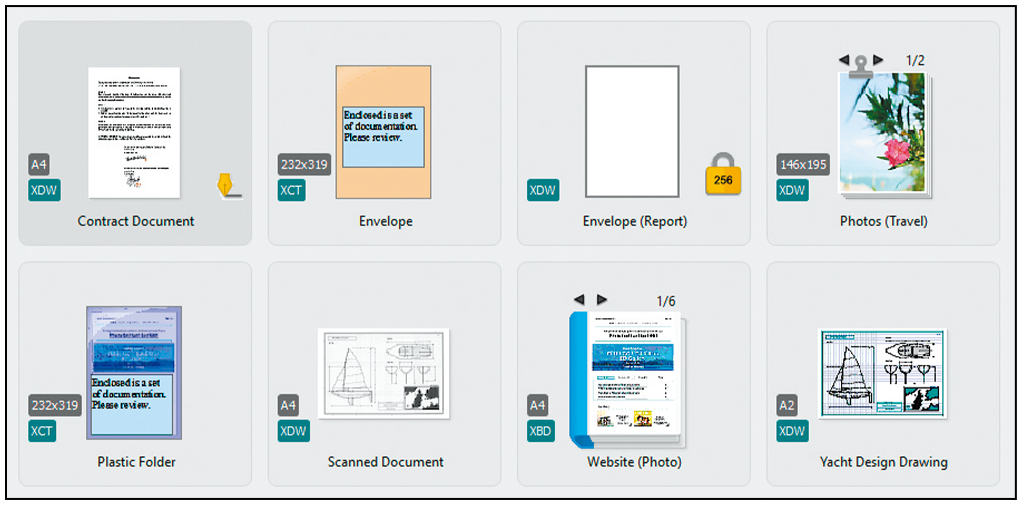
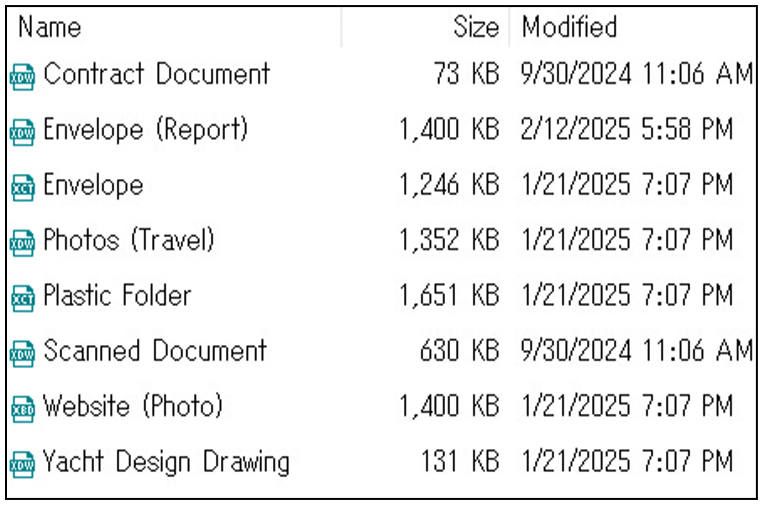
Automatically aligns files to ensure organisation at all times.
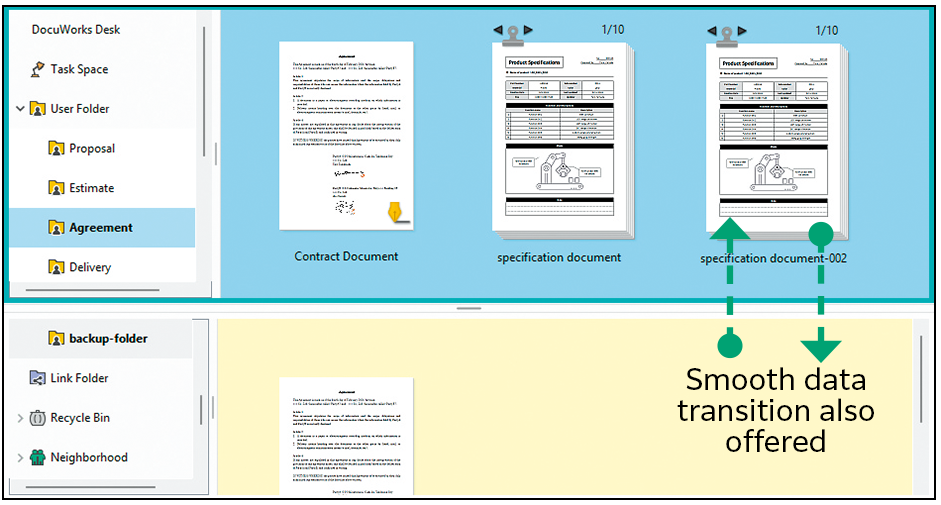
The screen can be divided into a top and bottom view. You can easily move and save documents to streamline tasks.

DocuWorks documents can be arranged and displayed on DocuWorks Desk, just like how paper documents are arranged on
your real desk. The documents can be edited in units of files, and you can stack and unstack the files.
Microsoft Office documents such as Excel, Word, PowerPoint, and scanned documents can be easily convertedto DocuWorks documents or PDF using drag-and-drop.
With "Clear Folder" and "Envelope", Microsoft Office documents as well as DocuWorks documents and PDFs can be managed together and operated just like folders. Also, "Binder" can be used to integrate multiple DocuWorks documents into one while keeping them as individual documents.
Documents imported from scans or created in different applications can be stacked and managed as a single DocuWorks document or PDF.
Convert documents to PDF with consideration to security, such as passwords and watermarks.
Thumbnails of DocuWorks documents and PDFs can promptly be temporarily enlarged. The thickness of the document is also displayed, allowing you to view multiple documents as if you were turning pages on your desk. Moreover, DocuWorks documents can be easily moved to the location of pasted sticky notes*2 just as if they were paper on a desk.
- *2 Sticky notes are for DocuWorks documents only

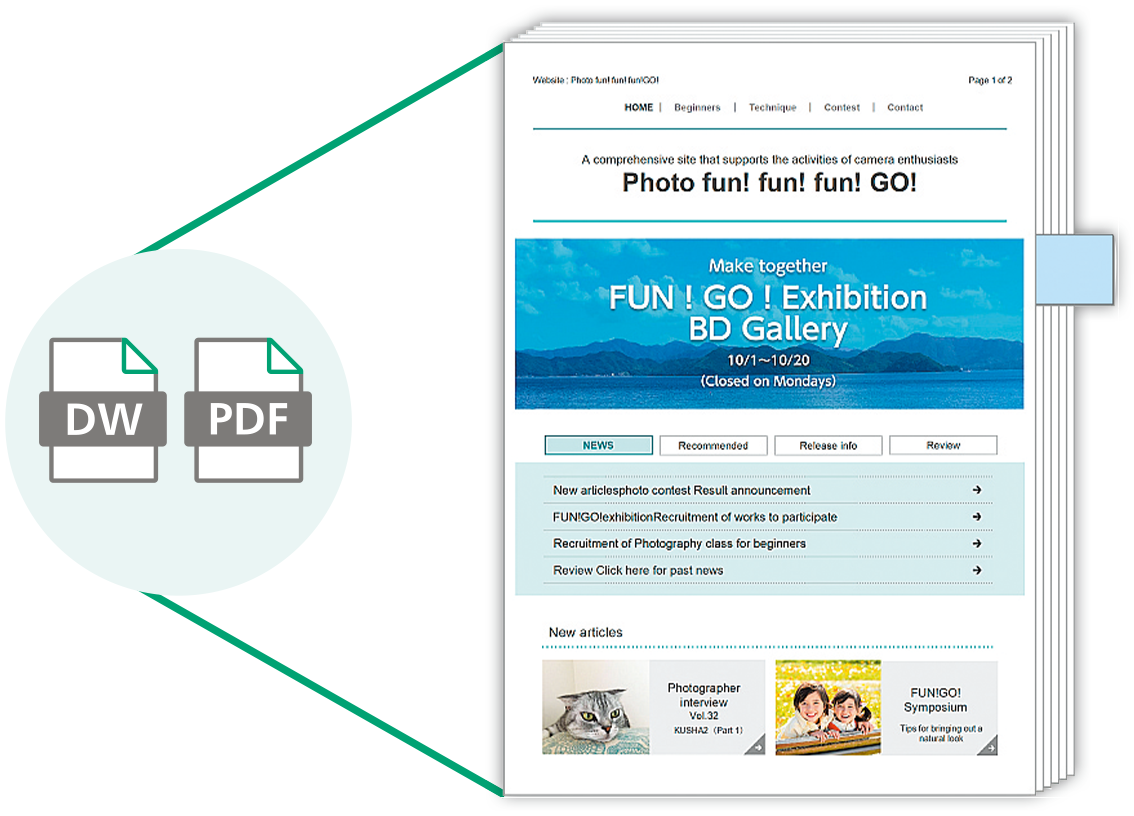
Temporarily enlarge DocuWorks documents and PDFs without opening files
When importing and converting documents to DocuWorks Desk, the original data (document) can be attached. This allows for flexible usage, such as editing the original data and attaching related documents.
Link folders allow you to set up links to folders on your network. Shared documents can be searched, and documents can
be viewed and edited from DocuWorks Desk.
DocuWorks documents can be compared with each other, and PDF documents can also be compared to extract changes and differences. In addition to text information, images can also be compared, making it useful for reviewing drawings and other documents.
- Note: Since tilt correction and colour correction are not performed, this feature cannot be applied to scanned documents.
DocuWorks Viewer is an electronic stationery tool that allows for smooth viewing and easy editing of documents arranged
on the electronic desk, DocuWorks Desk. As an essential work tool, it provides powerful support for daily tasks.
① [Standard] Toolbar
② [Find] Toolbar
③ [Zoom] Toolbar
④ [Page Up/Down] Toolbar
⑤ Annotation toolbar
⑥ InfoView
⑦ [Property] Toolbar
⑧ Display format switch button
⑨ Status bar
⑩ Pencil Case
⑪ Sticky note
DocuWorks Viewer enables you to browse in the same way that you would view a paper document in your hands. You can
edit pages, temporarily enlarge listed pages, split pages, change page positions, and delete pages, all while handling
electronic paper just as if you were working on a desk.
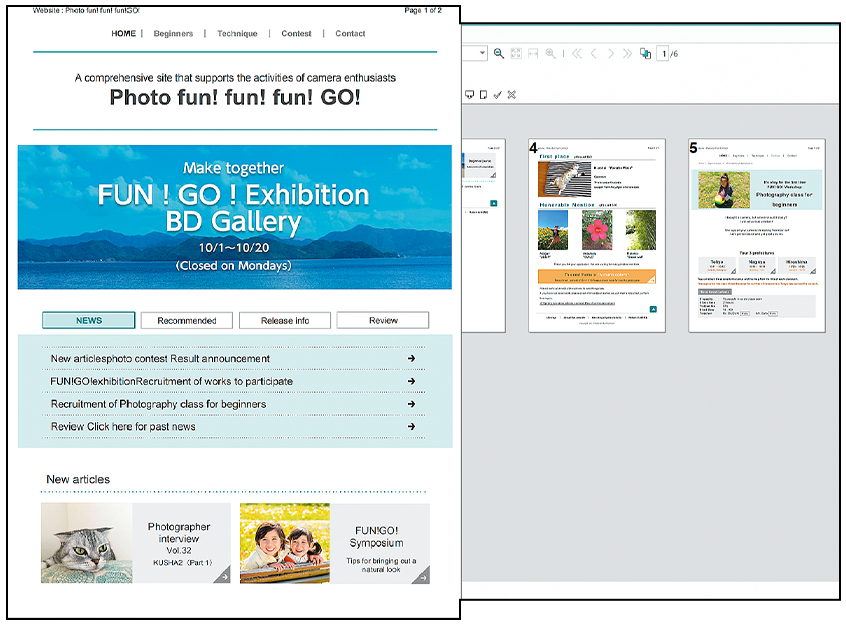
Temporary enlarge
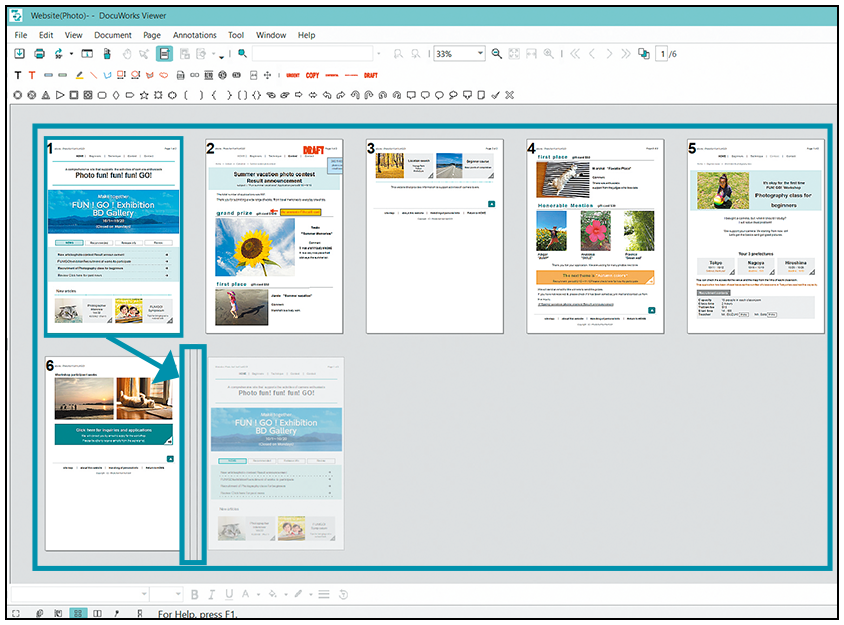
Move page
With screen synchronization, you can scroll two DocuWorks documents at the same time. The left and right documents can be scrolled in sync, making it easier to check corrections.
You can change the display format, including "Document", which allows you to flip through pages as if they were paper, "Page Sorter", which allows you to display documents side by side, and "Continuous Page", which allows you to move pages by scrolling with the mouse.
"Pencil Case" enables you to quickly recall frequently or recently used functions. Popups are displayed near your mouse so that you do not have to move your mouse all the way to the toolbar when editing, allowing you to concentrate on the task at hand.
DocuWorks documents can be viewed and edited on mobile devices too. You can immediately check the content you have set, such as sticky notes, approval stamps, and comments.
Sticky notes can be sorted easily and re-sorted instantly when the document is changed.
Standard stamps such as date stamps, "Important", "Urgent", "Approved", and "Confidential" are available by default. You can also register your own custom stamps. Additionally, if you register a stamp in the Task Toolbar with a predetermined placement, you can easily apply it with a single click on the icon in the Task Toolbar.
DocuWorks Electronic Signature*3 and Digital Certificate*4 allow you to add a digital signature to DocuWorks documents. It is possible to check the name and date, and whether the signature is original, or if it had been revised or edited after the document is signed once.
- *3 The DocuWorks Electronic Signature function does not use digital certificates issued by a certification authority.
- *4 If using signatures based on Digital Certificate, it is necessary to obtain an individual user certificate from a certification authority or an intermediate certificate and a root certificate from a certification authority.
Existing DocuWorks files can be converted to highly compressed DocuWorks (MRC compression). Data size can be reduced while maintaining text and image quality.
Enlarges a DocuWorks document page by page to the entire screen. Useful when you want to make a presentation using DocuWorks documents.
You can copy and use a certain part of a DocuWorks document. This is useful for copying a portion of a drawing, map, or manual and pasting it into another document.