








Whether you’re a small business or an established enterprise, it’s clear that optimising your operations is key to business success. When it comes to streamlining your day-to-day workflows, one important aspect that deserves a second look is your office printer's features.
A thoughtfully designed printer considers different office users and how they print. It supports inclusivity and helps everyone to work comfortably despite their physical abilities. It is also designed to help users complete their tasks faster so they can get more done during the workday.
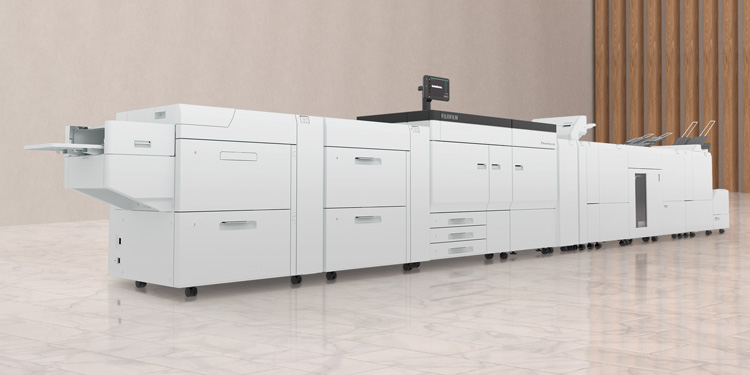
At FUJIFILM Business Innovation, we prioritise ergonomics to create a smooth and inclusive printing experience for any office. Our latest Apeos series, which won the Red Dot Design Award: Product Design 2025, was recognised for its innovative design, clean contours and practical printer functions that suit flexible working methods.
Product designer Masahiko Yamamoto led the Apeos project with extensive research done in five cities around the world to understand how people use printers differently at work. Based on his findings, we have redesigned the traditional multifunction printer to minimise surface irregularities and maintain a simple, sleek silhouette. The result is a range of printers that seamlessly fit into today’s diverse office environments, with thoughtful and intuitive features that support different working styles and needs.
Here are seven printer features that seem small in isolation, but together, can make a big difference to the way your team works.
The challenge: Many printers need a few minutes to warm up before printing, especially if you are the first user of the day. This is because the printer’s fuser assembly must be heated to a high temperature to fuse toner particles to paper. For employees, this wait time can be frustrating when they have a busy day ahead.
While some printers use preheating to ensure instant availability from standby mode, the trade-off is that it consumes more electricity.
The solution: Cutting-edge fusing technology enables FUJIFILM Business Innovation’s printers to warm up in seconds, without costly preheating.
We have developed an Induction Heating (IH) fusing technology that uses electromagnetic induction to heat a thin film of copper. A heat-sensing magnetic alloy controls excessive temperature increases and boosts heating efficiency, readying our printers for use in less than five seconds. In addition, a sensor detects user presence and automatically wakes the printer from sleep mode, saving energy while delivering convenience.
The challenge: Preferred settings for copying documents are often set up to help office workers save time. For example, you might typically print your meeting notes as two pages on one sheet or scan invoices to the same shared folder each time.
But adjusting the settings every time you print or scan something can be tedious and inefficient. Doing so manually also means greater chances for human error.
The solution: Smart recall is here to help. FUJIFILM Business Innovation’s latestApeos series can save your previous print settings. Users’ recent operations are automatically saved to a Pins page on the home screen, allowing you to repeat routine operations in seconds.
The challenge: Have you ever squinted at a printer’s display, struggling to make out the information on-screen? Too-small screens, glare from office lights and other factors can make the printing experience a headache. For those who use mobility equipment like wheelchairs, it can be twice as difficult to view the display from different angles.
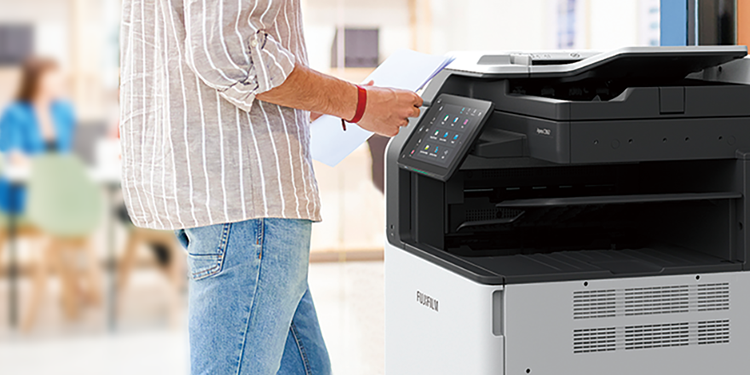
The solution: Adjustable control panels can be a game-changer for better visibility. FUJIFILM Business Innovation’s Apeos series features a 10.1-inch touchscreen panel that displays characters in large sizes. The panel can be tilted to eliminate glare from light, enabling you to easily touch and swipe – whether you’re sitting down or standing up.
The challenge: Navigating a multifunction printer can feel overwhelming at the start, especially for new employees who have not encountered printers before. Furthermore with digitalisation efforts, workflows may change causing confusion for employees. They may spend time and energy searching for key functions or working out unfamiliar tasks.
The solution: Cutting-edge doesn’t have to mean complicated – the right device can combine functionality with user-friendly design. Our printers are designed to help users find what they need with a clear hierarchy of information. The minimalist design approach reduces colour and clutter, pointing users to the right operations at the right time.
Customisable features add to this ease of use. Your employees can arrange and customise frequently used app buttons on the home screen, making them simple to find at a glance.
The challenge: Loading paper is a minor hassle, but a stuck paper tray can rapidly result in misaligned documents and paper jams. That means costly reprints and delays as your team tries to troubleshoot the issue.
The solution: A paper tray that pulls out smoothly is the printer feature you never knew you needed. FUJIFILM Business Innovation’s paper trays are equipped with a retraction mechanism that makes opening and closing effortless. One gentle nudge is all you need to draw out the tray.
Some printers, such as the Apeos series, feature height-adjustable trays as well. Users in wheelchairs, for example, can easily load paper at an optimal height.
The challenge: If your workplace printer is placed in a corner with dim lighting, employees may find it difficult to spot the right function buttons. This is especially challenging for users with colour blindness or vision difficulties. As a result replacing consumables or refilling paper trays can become a time-consuming process.
The solution: Clear and easy-to-distinguish colours act as useful cues, pointing users to important buttons and operations. FUJIFILM Business Innovation printers use colour cues that are consistently assigned to different functions, allowing your team to identify the right operational components even in dim lighting. These colours have been selected to be accessible for people with colour blindness or other vision impairments.
The challenge: Imagine poring over a complex document that requires all your focus – only to be shaken out of your concentration by the beeping of your office printer. The noise of a printer is a double-edged sword – while it helps notify users that their print job is done, it can also disturb other employees who are absorbed in their tasks.
The solution: Look for a printer with thoughtfully designed feedback sounds. Our Apeos series takes inspiration from the announcement chime used in aeroplanes – distinctive enough to catch the attention of awake passengers, but soft enough not to wake sleeping ones.
In the Apeos printers, all audio notifications have been meticulously tuned to a comfortable volume and sound quality. This produces a subtle sound that effectively alerts users about print job completion or printing issues, without disrupting the rest of the team. And if you happen to miss an alert, LED status lights make it easy to pinpoint whether your documents are ready from a distance.
The right workplace printer can support your team’s efficiency by making every step of the printing experience smooth and user-friendly. At FUJIFILM Business Innovation, our printer features are designed to ensure workplace safety and increase productivity for people of all abilities.
Contact us today to learn how our printers can help your team work smarter and faster.