


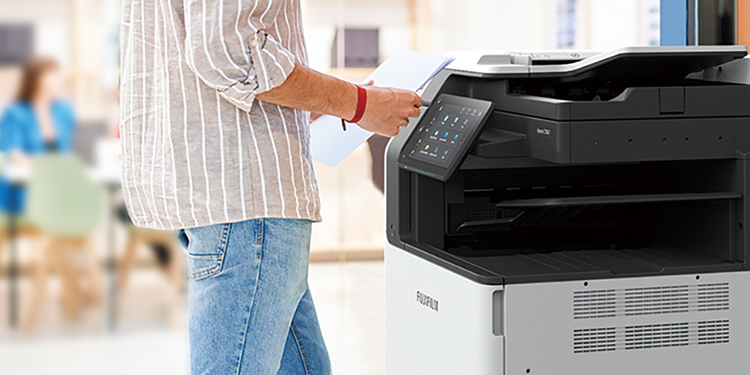



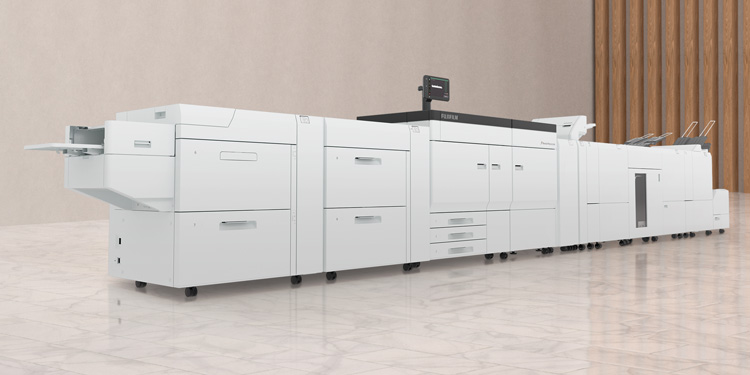







Web-based administrator’s UI provides easy-to-understand screens with abundant information on the dashboard. The UI facilitates administration by providing centralized management of the device consumables status such as toner, drums, and paper.
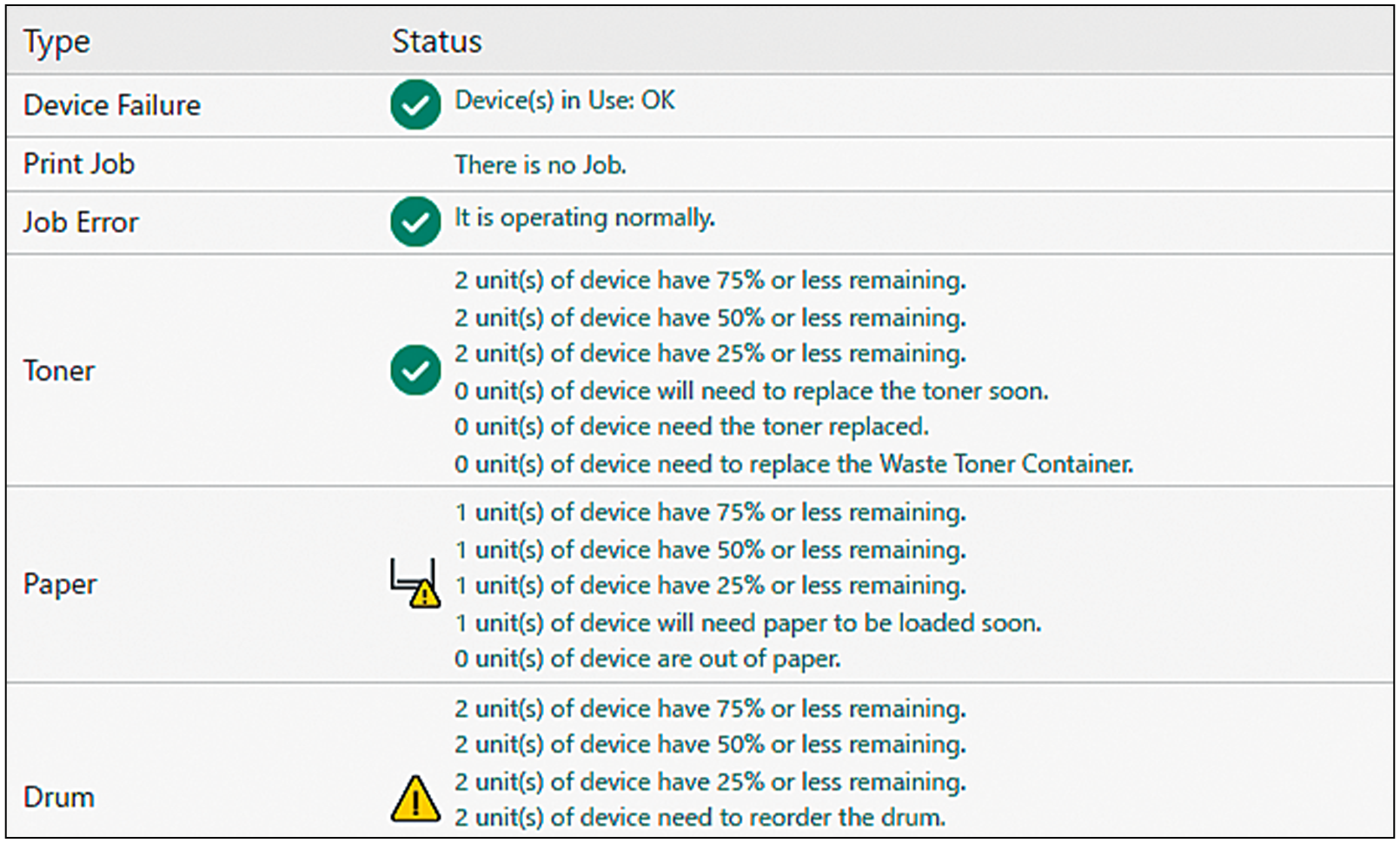
Administrator portal
Note: It can also check detailed information for each device.
Menus for the ApeosWare Management Suite 2 are provided on the control panel of the devices. You can quickly access to the operation service on the device. External linkage system such as DocuShare and SharePoint can be connected to the system to provide you with the same operational experience.
A specialized program is provided for mobile devices. Devices, users, and setting information specified on ApeosWare Management Suite 2 are applied to mobile devices to allow direct output and scanning by intuitive operations from the user interface. Devices to output and scan by using QR codes can also be setup easily.
Individual usage status can be displayed in monetary amounts. You can also show each user's gap from administrator targets for color printing, 2 sided printing, Pages per Side, and so on. This information can be hidden for those who have met the targets. It reduces the burdens of the administrator while raising cost-consciousness of users.
A wide-range of reports can be created on the web browser using collected job log information such as the users of devices, sheets that are output, paper sizes, and time. The report function has been dramatically enhanced in ApeosWare Management Suite 2. A variety of reports can be created across five categories.
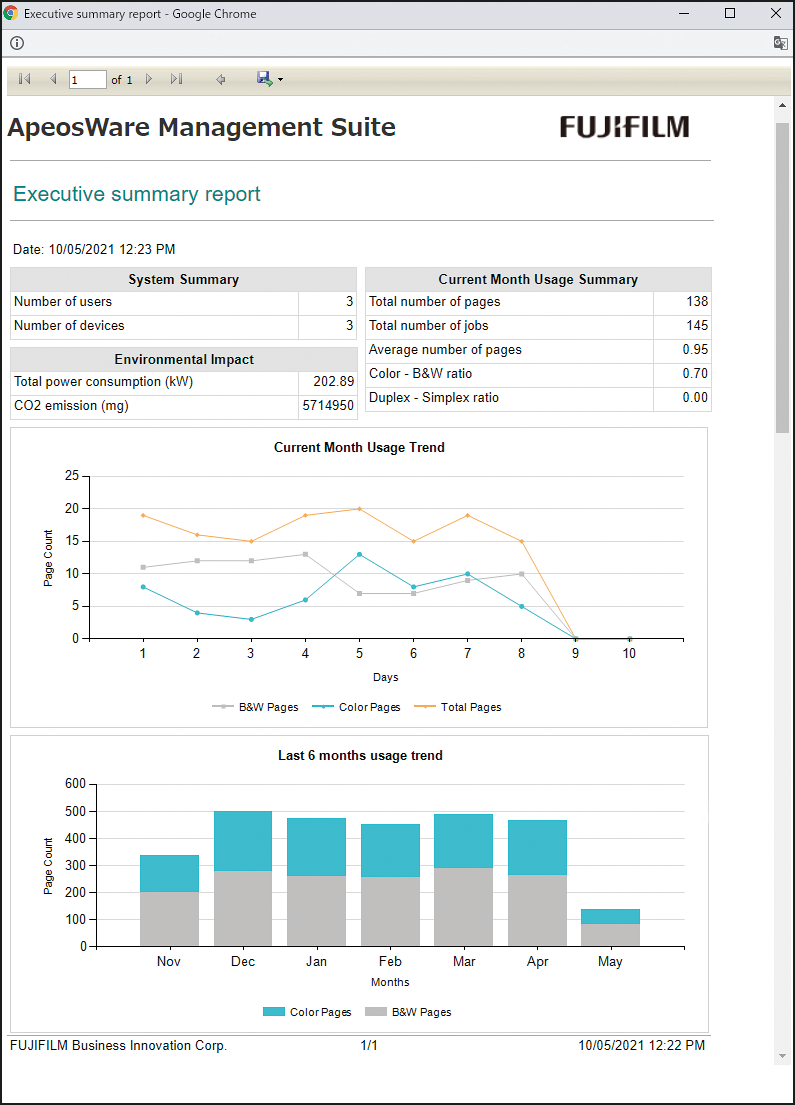
Executive summary report
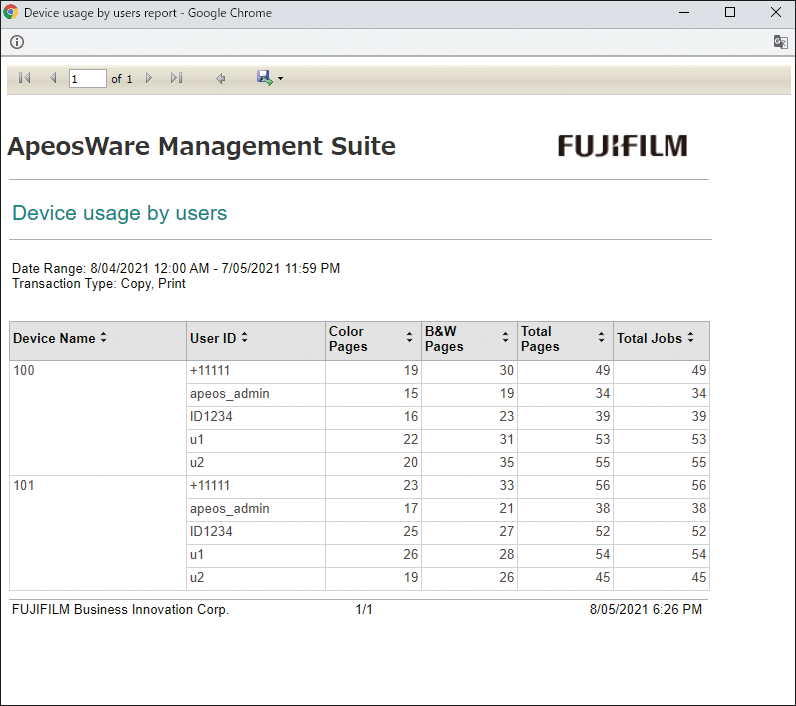
Device usage report by user
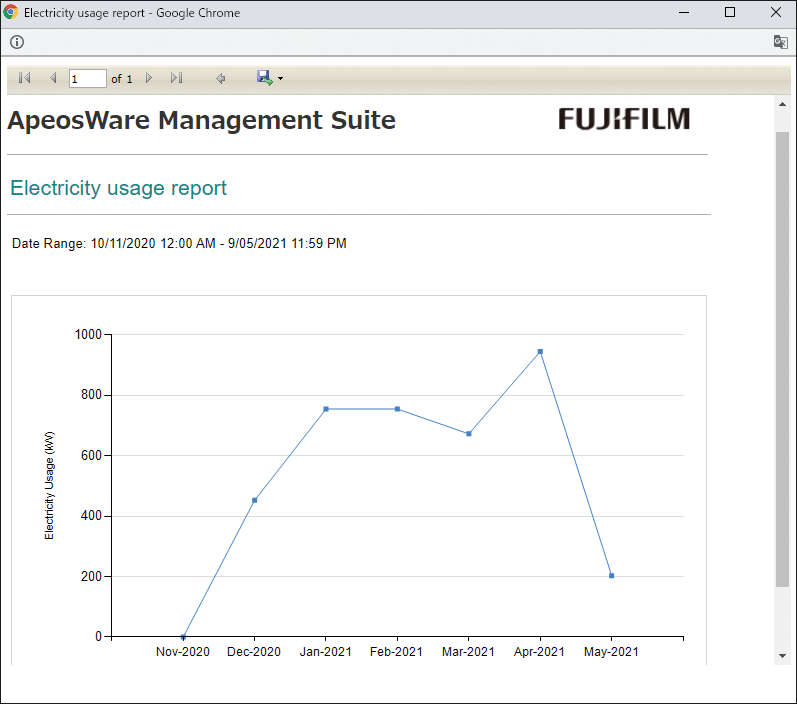
Electricity usage report
- Web-based accounting reports
- Custom settings
- Various output formats (Web/PDF/Office documents)
- Automated report settings (Email/shared folder storage)
- *1 Optional.
Any documents that have been copied, printed, scanned or sent / received by fax will be stored as images along with relevant process details and device information. These features allow administrators monitor document handling activity by individual users as well as groups. And by combining the system’s management tools with other authentication functions - such as device passwords and IC cards - user activity is easily tracked, greatly deterring the occurrence of information leakage.
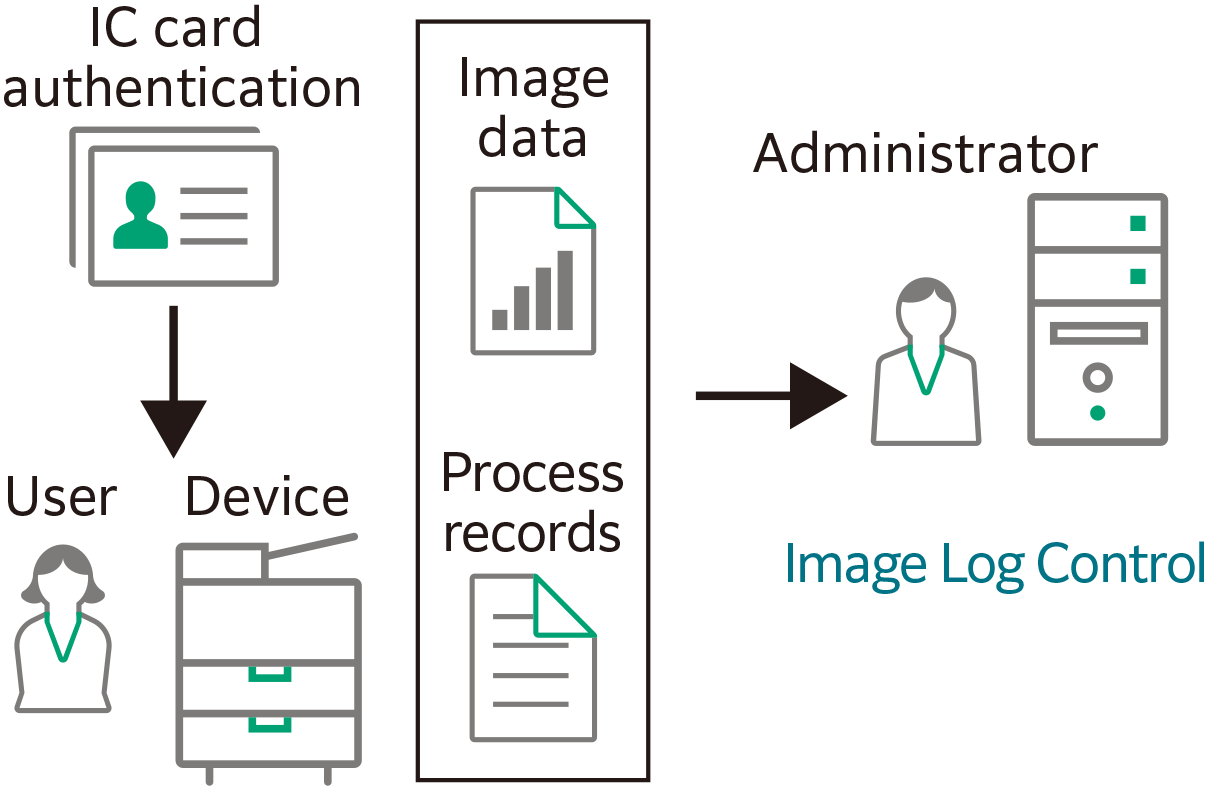
When classified documents containing personal or other confidential information are leaked, you can find the responsible party by searching job logs and document content obtained from automatic OCR*2 - effectively where the system will show you how and when a leak occurred.
- *2 Optional.
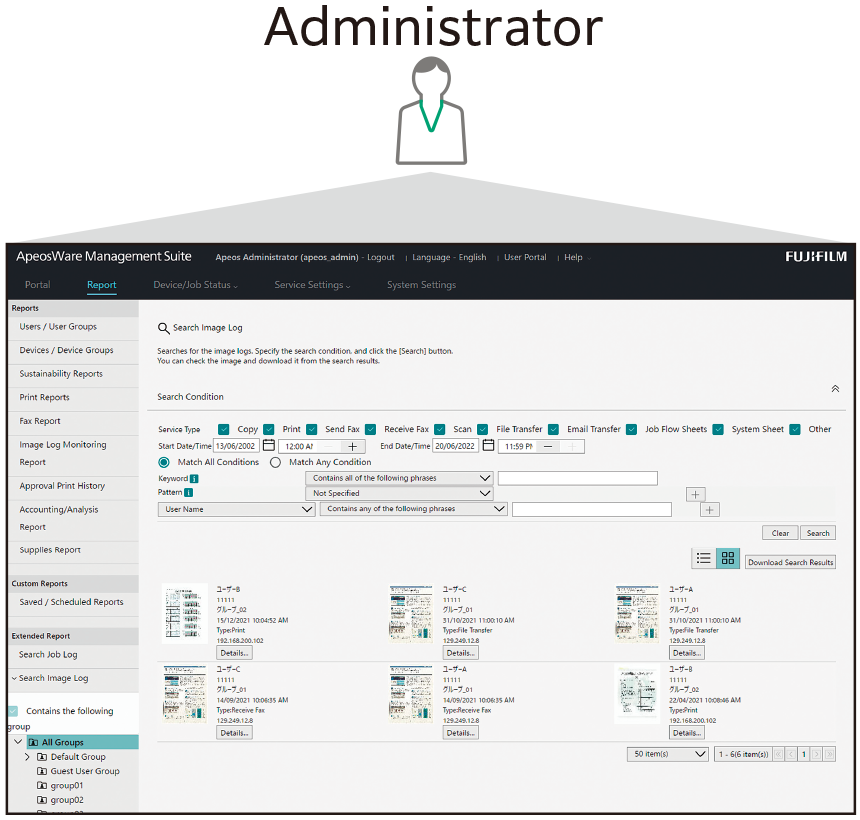
To monitor document handling, simply pre-programme search criteria or keywords and let Image Log Management automatically search for relevant documents. Reports are then generated and sent to administrators via e-mail at designated intervals determined by importance. All reports are saved for future reference and can be categorised by users or groups, assigned varying degrees of importance, and displayed by the year or month. This feature significantly reduces the possibility of information leakage caused by misuse of multifunction printers and other similar devices.
- *3 Optional.
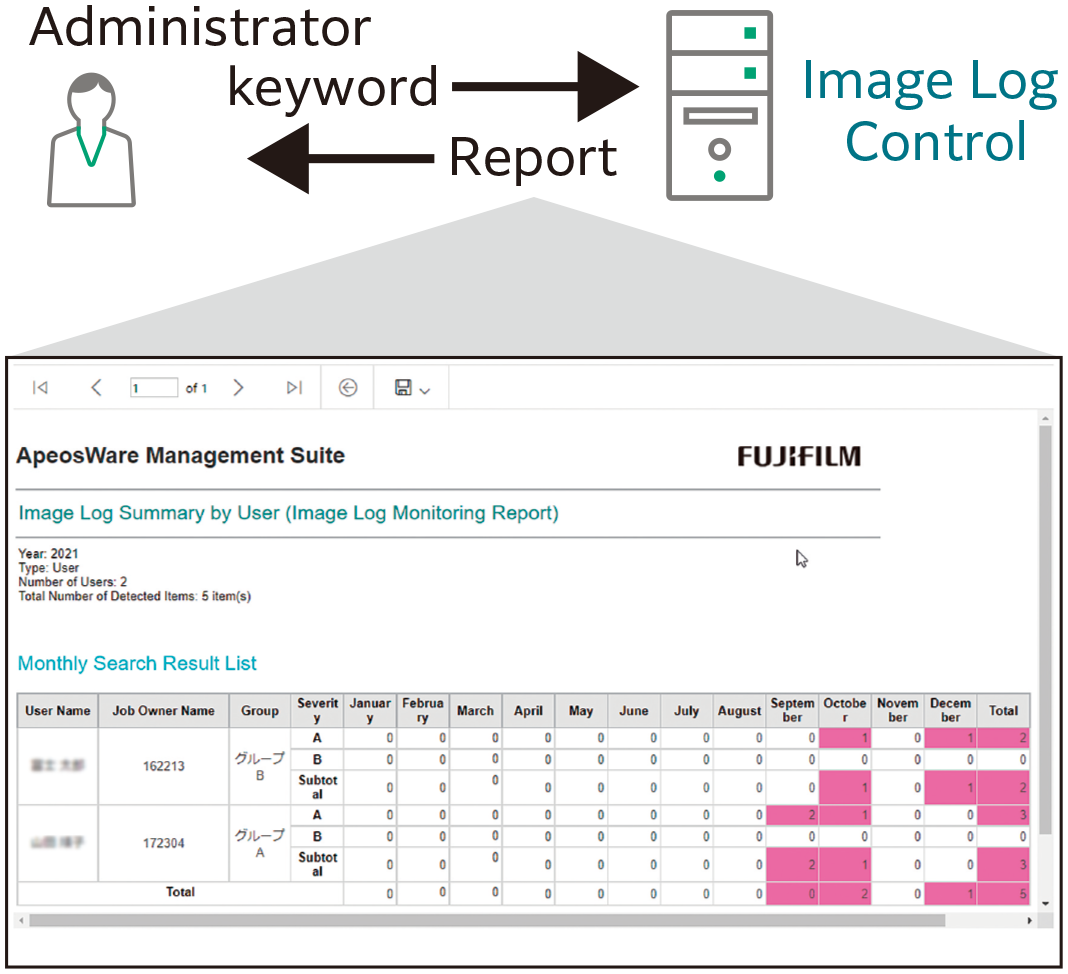
Device groups can be created and devices to manage can be registered to the group. It is possible to centrally manage settings information and to batch configure device settings. Resetting devices is easy even in case of a device malfunction.
This function monitors the status of devices and sends notifications by email. Problems such as a lack of paper or paper jams can be handled in a timely manner.
Buttons on the control panel of devices can be registered in batches from the server to drastically reduce the time for installation.
Security monitoring setting provides batch setting of security options of multifunction machines, printers, and other devices. This function also detects unintended setting changes and notifies the administrators.
Also, this function periodically and automatically restores such device settings to maintain the required security level, reducing the operational tasks of the administrator.
- Management of devices and device groups
- Automated registration of devices
- Reflection of device data
- Authentication/accounting settings
- Display of device statuses/meter information
- Notification settings for statuses
- Displays job log collection status
- Stock management of consumables
This function authenticates users when logging into devices to identify who is using the device before it is used.
Device features and color printing can be restricted by individual, department, or position. This reinforces security and promotes effective TCO reduction.
User information can be imported from LDAP, SQL servers, Active Directory, and CSV files. This allows efficient registration and management.*4
- *4 Users can register their card IDs from the control panel of multifunction devices or their computer.
- Management of users and user groups
- Settings for access profiles
- Links with external authentication servers (domains)
- Import of users
- Import of accounts*5
- Settings for authentication features
- Self-registration of user card IDs
- *5 Entry Edition requires Cost Recovery Option.
Rules for output such as "high speed, 2 sided printing of large-quantity jobs" and "black & white printing for email" can be specified. Output without wastefulness can be performed thoroughly without any particular reliance on user awareness.
"Print On Demand" can be used to output from any device of your choice upon user authentication. Your print jobs are stored temporarily to a server. This also allows you print out only the correct documents and delete those print job with incorrect settings.
- *6 Print On Demand is optional for the Entry Edition and standard for the Enterprise Edition.
For example, users can pay to use "Guest Print". The guest users will be able to perform the print job from designated locations, such as the library.
- Management of print servers
- Direct printing
- Print On Demand*7
- Guest Print*7
- Watermark
- Access protocols and print rules
- Popup notification
- Attribute changes of print jobs
- *7 Optional for Entry Edition.
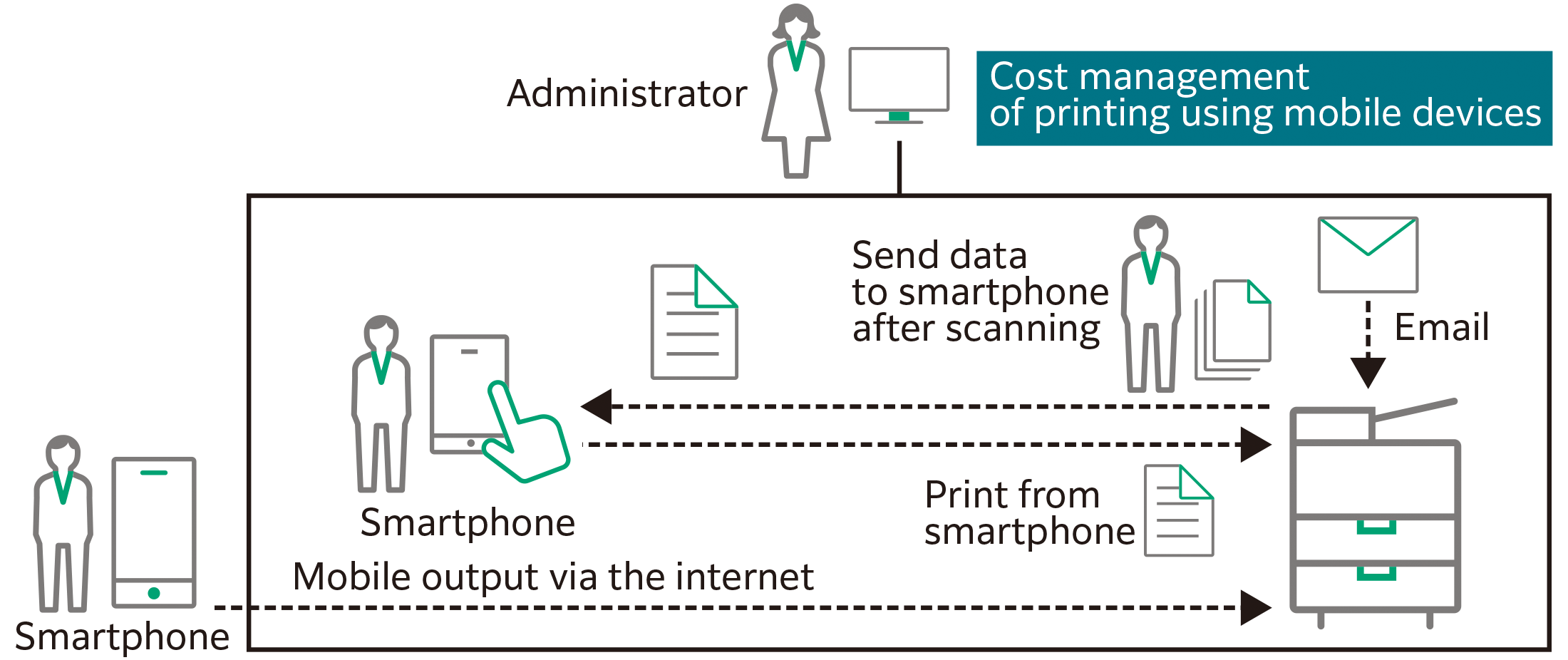
ApeosWare Management Suite 2 can manage input and output from smartphones and tablet devices.
- *8 Optional for Entry Edition.
Files can be uploaded and output via a web browser. Emails and attachments sent to a specified email address can be printed.
- *9 Optional for Entry Edition.
Isolating the Mobile Server allows mobile output via the internet.
- *10 Optional for Entry Edition.
- Note: Separate user licenses are required for 11 or more users.
- Sending of print jobs
- Operation of Print On Demand*11
- Scan to Email
- Associating mobile devices with devices
- Links with file management services*12
- Cost management*11
- *11 Optional for Entry Edition.
- *12 DocuShare, Salesforce, OneDrive®, SharePoint Online, ABBYY® FlexiCapture® are supported optionally.
For example, the staff at offices such as law offices or architect studios that have multiple projects at the same time can register an account for each project in advance. This way, accounting results can be used to transfer costs.
- *13 Optional for Entry Edition.
A balance can be set for each account to control the output costs. Flexible operations are possible by rolling over balances with a surplus to the next month or by replenishing accounts with insufficient balances.
- *14 Optional for Entry Edition.
- Management of accounts
- Creation of fee structure
- Settings for replenishment schedules
- Accounting reports for each account