










If your office is juggling a standalone printer, a separate scanner on someone's desk, an old fax machine in the corner, and a copier down the hall, you already know the problem. Separate devices mean separate drivers, separate consumables, separate service calls and a surprisingly large amount of wasted time. One multifunction printer (MFP) that can print, copy, scan, and fax changes all of that.
This guide helps you choose the right all-in-one printer for your Singapore office in 2026.
Who this is for: Office managers, IT leads and procurement decision-makers in SMBs or departmental teams who need to consolidate devices.
Difficulty: Easy to follow. No technical background required.
Time to complete: About 10-15 minutes to read and fill in your own answers.
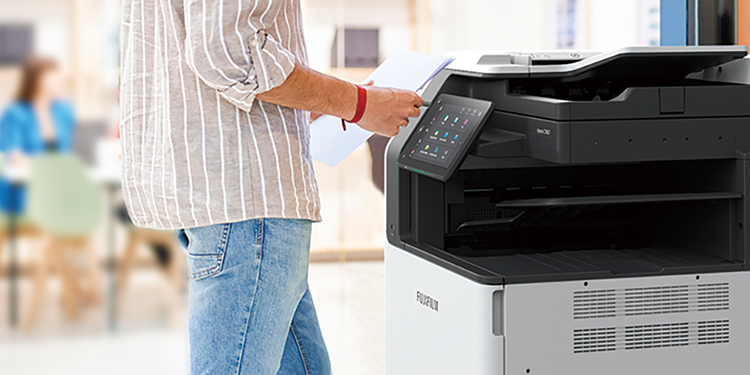
An all-in-one printer (also called a multifunction printer or MFP) handles print, copy, scan and fax from a single unit. That means one power point, one service contract, one set of consumables and one admin interface for your IT team.
The shared workflow benefit alone is worth it for most offices. Scan directly to email, scan to a shared folder, copy a multi-page contract and fax or email it to a client, all from the same touchscreen panel.
Buyers face the risk of choosing a device that has a duty cycle that does not match the actual monthly volume.
Why is this a risk?
- Too small: Overworked device, more breakdowns, higher maintenance costs and lower productivity.
- Too large: Higher purchase and service costs for capacity you do not use.
The ideal choice is one that is right-sized for your business so you get the best balance of reliability, performance and total cost of ownership. Complete a five-minute audit before shortlisting your MFP to help you find out which MFP is right for you.
Answer these four questions before you look at the specs sheet:
- How many pages does your office print and copy per month (estimate by week and multiply)?
- Do you need A3 format, or is A4 sufficient?
- Do you need colour, or is monochrome enough for most documents?
- Do you regularly scan or copy multi-page documents? If yes, an automatic document feeder (ADF) is non-negotiable.
Write these down as you will use them at the end of this guide.
Duty cycle is the maximum number of pages a device is engineered to handle per month under ideal conditions. It is a structural ceiling, not a target. The recommended operational volume typically runs at around 10%–20% of the stated duty cycle.
For example, a model may have a published duty cycle of up to 30,000 images/month. But that does not mean you should run 30,000 pages through it every month. A realistic workload target sits well below that.
A simple rule: if your monthly volume is 500 pages, do not shortlist devices with a recommended volume below that. If your volume is 3,000 pages, look at mid-range workgroup MFPs, not compact desktop office models.
For multi-page jobs, confirm the ADF capacity. A 50-sheet ADF is fine for occasional use; if your team scans contracts, invoices, or multi-page reports regularly, you want at least a 100-sheet ADF with duplex (two-sided) scanning capability.
For connectivity, most Singapore offices today need both Ethernet and Wi-Fi. If your team prints from phones or remote locations, check for mobile print support (AirPrint or Mopria). For teams running hybrid workflows, a cloud-connected MFP that integrates with document management systems adds real operational value.
Office size | Typical monthly volume | Device class to consider |
Small office (1-5 users) | Under 1,000 pages | Compact A4 MFP |
Mid-size team (6-20 users) | 1,000-5,000 pages | Workgroup MFP (A4 or A3) |
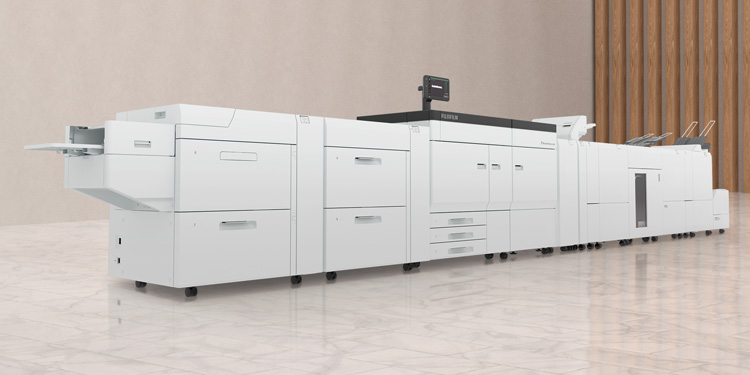
Department or high-volume (20+ users) | 5,000+ pages | Departmental or production MFP |
Before you contact a supplier, pull your answers from Step 1 together. You can copy this into an email or quote request form:
- Monthly page volume (print + copy combined): ___
- Paper size required: A4 / A3 / Both
- Colour or mono: ___
- Fax required: Yes / No
- Fax line type: Analogue / VoIP (T.38 required)
- ADF duplex scanning needed: Yes / No
- Connectivity: Ethernet / Wi-Fi / Both
- Number of users sharing the device: ___
- Managed print service or outright purchase: ___
With this information, a vendor can shortlist two or three models that genuinely fit your workload rather than overselling you on a device with a duty cycle you will never reach.
FUJIFILM Business Innovation Singapore works with SMBs and larger teams across Singapore to match the right MFP to their actual document workflows and managed print services that cover consumables, maintenance and support under one agreement. If your team handles document-heavy processes and needs a device that keeps up, it is worth having that conversation before you commit to a purchase.
Ready to shortlist? Request a quote or assessment from FUJIFILM Business Innovation Singapore with your checklist answers, and get a recommendation matched to your monthly volume, business requirements and connectivity setup.