










FUJIFILM Business Innovation Singapore offers a broad lineup of colour and monochrome business printers for Singapore offices, ranging from compact desktop models to high-volume A3 office document centres. Whether you are managing a small team or a multi-floor enterprise, choosing the right printer type affects productivity, cost-per-page, security and how well your print environment scales. This guide helps you match the right device type to your working environment to streamline your decision-making process.
Before comparing specific models, consider these three variables:
- How many people will share the device?
- What is your typical monthly print volume?
- Is colour output a regular requirement?
Office Size | Monthly Volume | Colour Needed? | Recommended Starting point |
1-10 users | Low to medium | Optional | Compact A4 colour or monochrome MFP with Wi-Fi |
11-50 users | Medium | Yes | A4 colour workgroup MFP with basic authentication |
11-50 users | Medium | No | High-duty A4 monochrome MFP |
51-200 users | Medium to high | Mixed | A4/A3 colour workgroup MFP with fleet management |
200+ users | High | Mixed | Floor-standing A3 colour/monochrome MFP with secure print release and centralised fleet management |
What buyers typically care about at each tier:
- small teams prioritise ease of setup and low running costs;
- mid-size offices weight uptime and job security;
- larger enterprises require authentication controls, usage reporting and integration with document workflows.
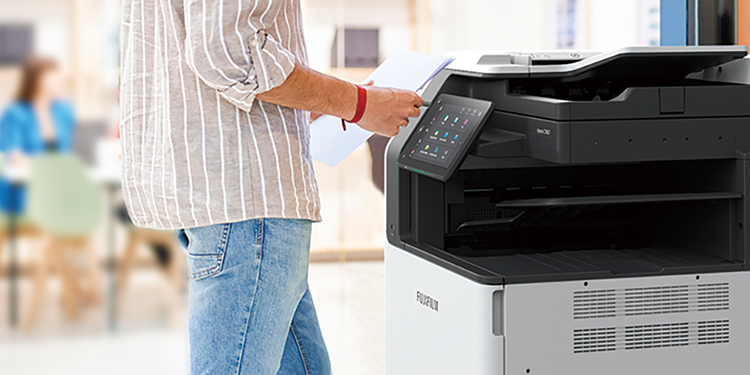
A single-function printer does one thing: it prints. An MFP (sometimes called an all-in-one printer or office document centre) combines print, copy, scan and in some configurations fax into one device.
For most Singapore business settings, an MFP is the more practical choice because it consolidates hardware, reduces the number of devices IT needs to manage, and gives teams a single point for document digitisation, such as scanning directly to email, cloud folders or a network share. Furthermore, for teams doing any volume of document processing, the scan-and-route capability of an MFP typically outweighs the slightly lower upfront cost of a single-function device.
Office laser printers use toner rather than liquid ink. They deliver fast, consistent text output with predictable per-page costs, making them the default choice for text-heavy, high-volume environments. Toner cartridges last longer between replacements than standard ink cartridges, which reduces maintenance interruptions in busy shared areas.
Office inkjet printers produce richer colour gradients and are often quieter in operation. They suit environments where colour accuracy matters more than raw output speed. Running costs per page can be higher at moderate volumes, though this depends on the specific model and usage pattern.
Ink tank printers use refillable ink reservoirs rather than replaceable cartridges. They offer a lower cost-per-page at high colour volumes, though they require occasional maintenance and are generally better suited to continuous-use rather than intermittent-use environments.
Choosing the right printer depends on your business needs, laser for efficiency and text clarity, inkjet for colour accuracy and versatility.
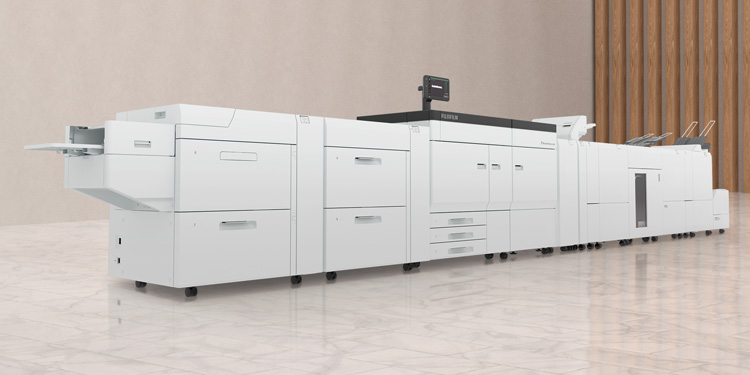
Most office documents are A4. However, A3 capability becomes relevant when your team regularly produces presentation layouts, technical drawings, financial schedules or internal signage without outsourcing to an external printer. An A3 colour MFP also provides greater media flexibility for departments that handle marketing collateral internally. For high-volume print environments, A3 devices typically offer higher-duty cycles and more paper-handling options, which supports better uptime in shared workgroup settings.
Singapore's climate (high humidity, consistent warmth) and the prevalence of air-conditioned offices mean that all three technologies perform adequately in most business settings. The more significant differentiator is usage pattern. Devices used intermittently in a low-volume environment will behave differently from those running continuous high-volume jobs. Use the table below as a starting framework; then reach out to your dedicated FUJIFILM BI representative who can refine the recommendation based on your actual volume data.
| Laser | Inkjet | Ink-tank |
Best for | Text-heavy, high-volume output | Colour-rich documents, presentations | High-volume colour at low cost-per-page |
Output quality | Sharp text; good colour on supported media | Excellent colour gradation | Good colour; quality varies by model |
Running cost drivers | Toner yield, fuser life | Ink cartridge yield, print head maintenance | Ink refill cost; print head care |
Maintenance considerations | Periodic toner/drum replacement; generally low-touch | More frequent cartridge changes at moderate volumes; print head clogs if idle | Print head maintenance; not ideal for low-frequency use |
Suitable environments | Shared workgroup areas, high-duty offices | Quieter offices, design teams, lower-volume colour use | Teams with consistent daily colour print volumes |
Singapore climate note | Generally unaffected by humidity in air-conditioned settings | Ink viscosity can be affected by temperature swings if not in climate-controlled space | Similar to inkjet; consistent usage helps maintain print head condition |
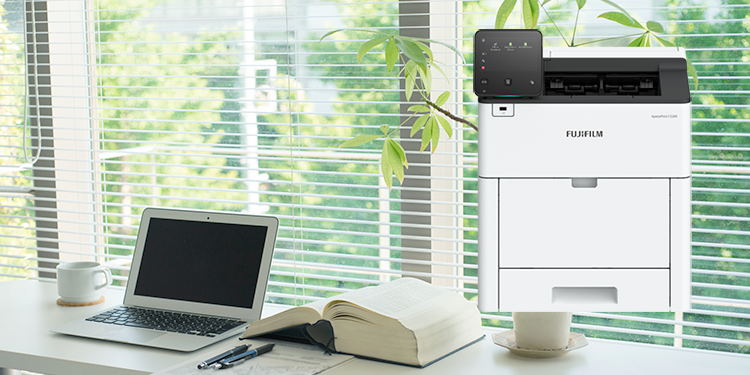
A compact A4 colour MFP with Wi-Fi is the practical choice for most small-team settings in Singapore. It consolidates print, scan, and copy into one device, supports mobile printing via iOS and Android, and fits easily on or beside a desk. If colour output is not required, a compact A4 monochrome MFP offers a lower cost-per-page. Single-function laser printers are an option only where the sole requirement is fast monochrome output and scanning is handled separately.
The ApeosPort Print C2410SD and ApeosPort Print 3410SD are examples of compact Wi-Fi-enabled A4 devices from the FUJIFILM BI Apeos range suited to this environment.
At this scale, a shared A4 colour MFP placed in a central location supports multiple users without requiring each person to have a dedicated device. Security basics become relevant here: PIN-release or card-based job authentication ensures that print jobs are collected only by the person who submitted them, reducing confidential document exposure in open offices.
The ApeosPrint C4030 and ApeosPrint C5240 are A4 colour models with the output speed and expandability to handle the demands of a shared SME workspace.
For teams that mainly print invoices, reports, contracts and other black-and-white documents, the ApeosPrint 5330 or ApeosPrint 6340 deliver fast monochrome output while avoiding the higher consumable costs associated with colour printing.
Higher user counts require devices with greater duty cycles, faster output speeds, and the ability to handle expanded paper capacity. At this scale, a fleet of two or more A4 colour and/or monochrome MFPs deployed across a floor, or a single high-duty A3 colour MFP in a central location, is typically more efficient than individual desktop devices per user.
Management tooling also becomes relevant at this scale. The FUJIFILM BI Management Console allows administrators to install applications and maintain devices in optimal condition via the FUJIFILM BI Direct portal, without requiring on-site intervention for each device. This reduces the IT overhead of maintaining a workgroup print fleet.
Enterprises with multiple departments, floors, or sites need centralised visibility across all print devices. This is where secure print release, pull printing and centralised fleet management move from optional features to operational requirements. Users authenticate at the device before jobs are released, preventing confidential documents from sitting in output trays. Usage data is captured centrally, enabling IT and finance teams to allocate costs by department and identify where consolidation or device repositioning could reduce spend.
Floor-standing A3 workgroup MFPs from the ApeosPort range, combined with Serverless Authentication and the Management Console, provide this control layer without requiring a dedicated print server infrastructure.
Where A3 makes sense (design, marketing and admin-heavy departments)
If your team produces A3 documents more than occasionally, a dedicated A3 colour MFP is more cost-effective than outsourcing to an external printer. The ApeosPrint C5570 is an A3 colour model with broad media capability and security features suited to departments that need higher-volume output alongside flexible format handling.
An MFP that scans directly to a cloud folder, SharePoint library, or network share removes the manual step of scanning to a PC and then uploading. For document-heavy workflows in Singapore offices, this accelerates approval processes, filing and information sharing across hybrid teams. Configuring scan destinations at the device means even non-technical staff can digitise and route documents correctly.
Job authentication (PIN or IC card) ensures print jobs are released only when the submitting user is physically at the device. This is a straightforward control for any office handling contracts, HR documents, financial records or client data. Without it, sensitive documents accumulate in output trays, visible to anyone who walks past.
The FUJIFILM BI Print Utility for iOS and Android allows staff to print, copy, fax, and scan directly from mobile devices without installing a print driver. This supports flexible working patterns and reduces the friction of printing from personal devices in hybrid environments. Basic operations are accessible from the utility without requiring IT configuration for each new device.
When a primary printer is unavailable, jobs submitted to it are typically stuck. Serverless On-Demand Print redirects output to another available device on the network automatically, with the option to require authentication before release. For organisations without a dedicated print server, this provides resilience and job continuity without the cost and complexity of server infrastructure.
Serverless Authentication shares user authentication data across multiple MFPs and printers on the network without requiring a server to manage credentials. This makes secure pull printing accessible to smaller organisations that need access controls but do not have the IT infrastructure of a large enterprise.
Managed Print Services (MPS) consolidates the management of your print environment under a single service arrangement. MPS includes the ongoing management, maintenance and optimisation of your print fleet. It typically covers device assessment and optimisation, automated supply replenishment, remote monitoring and maintenance, and security controls.
MPS is worth considering if any of the following apply to your organisation:
- You want a predictable monthly spend for printing rather than variable supply and maintenance costs
- You have multiple devices across different floors, buildings or sites in Singapore
- You need usage reporting and cost allocation by department or user group
- Your IT team's time is constrained and print fleet management is a low-priority drain on their capacity
- You have compliance or data security requirements that need consistent controls across all devices
For smaller businesses, MPS primarily delivers cost predictability and removes the administrative burden of ordering supplies and managing device maintenance. The focus is on the right device mix, automated replenishment and a service agreement that covers breakdowns.
For larger enterprises, MPS adds fleet-wide visibility, usage reporting, security policy enforcement and the ability to manage dozens or hundreds of devices from a central console. At this scale, MPS also supports rationalisation decisions: identifying underused devices, repositioning hardware for better utilisation and consolidating suppliers.
Both levels benefit from the same core principle: centralising control of all printing devices reduces costs and increases efficiency.
FUJIFILM Business Innovation’s Managed Print Services solution, MPS Guardia, helps organisations manage and optimise their print environment.
For most small businesses in Singapore with mixed print needs, a laser-based A4 colour MFP offers the best balance of speed, running cost predictability and low maintenance. Inkjet is worth considering if colour accuracy is a priority and monthly volumes are moderate. Ink-tank models are cost-effective at high colour volumes but suit offices with consistent daily use rather than intermittent printing.
A printer produces output only. An MFP (multifunction printer) combines print, copy, scan and often fax in one device. For most business settings, an MFP is the more practical investment because it consolidates hardware and enables document digitisation and workflow routing from a single device.
Colour laser is generally better for text-heavy documents with colour elements, offering consistent output at higher speeds and predictable toner costs. Inkjet produces superior colour gradation and is better suited to image-rich output. For shared office environments with mixed colour needs, a colour laser MFP is typically the more manageable choice. For design or marketing teams where colour accuracy is critical, inkjet or high-quality colour laser devices are both worth evaluating.
A3 matters when your team regularly produces presentations, technical layouts, financial schedules or marketing collateral at A3 size, or when high-volume output and media flexibility are priorities. If A3 is only occasional, an A4 MFP supplemented by an external printer for large-format work may be more cost-effective. If A3 output is a regular internal requirement, a dedicated A3 colour MFP reduces outsourcing costs and gives you greater control over output quality and turnaround.
Ask for a current-state device audit covering all printers and MFPs, a proposed device mix and placement plan with usage-based rationale, a clear breakdown of what is included in the monthly service fee (supplies, maintenance, remote monitoring, on-site response), security controls including pull printing and authentication, and usage reporting frequency and format. Also confirm response times for on-site service in Singapore, as this varies between providers.