


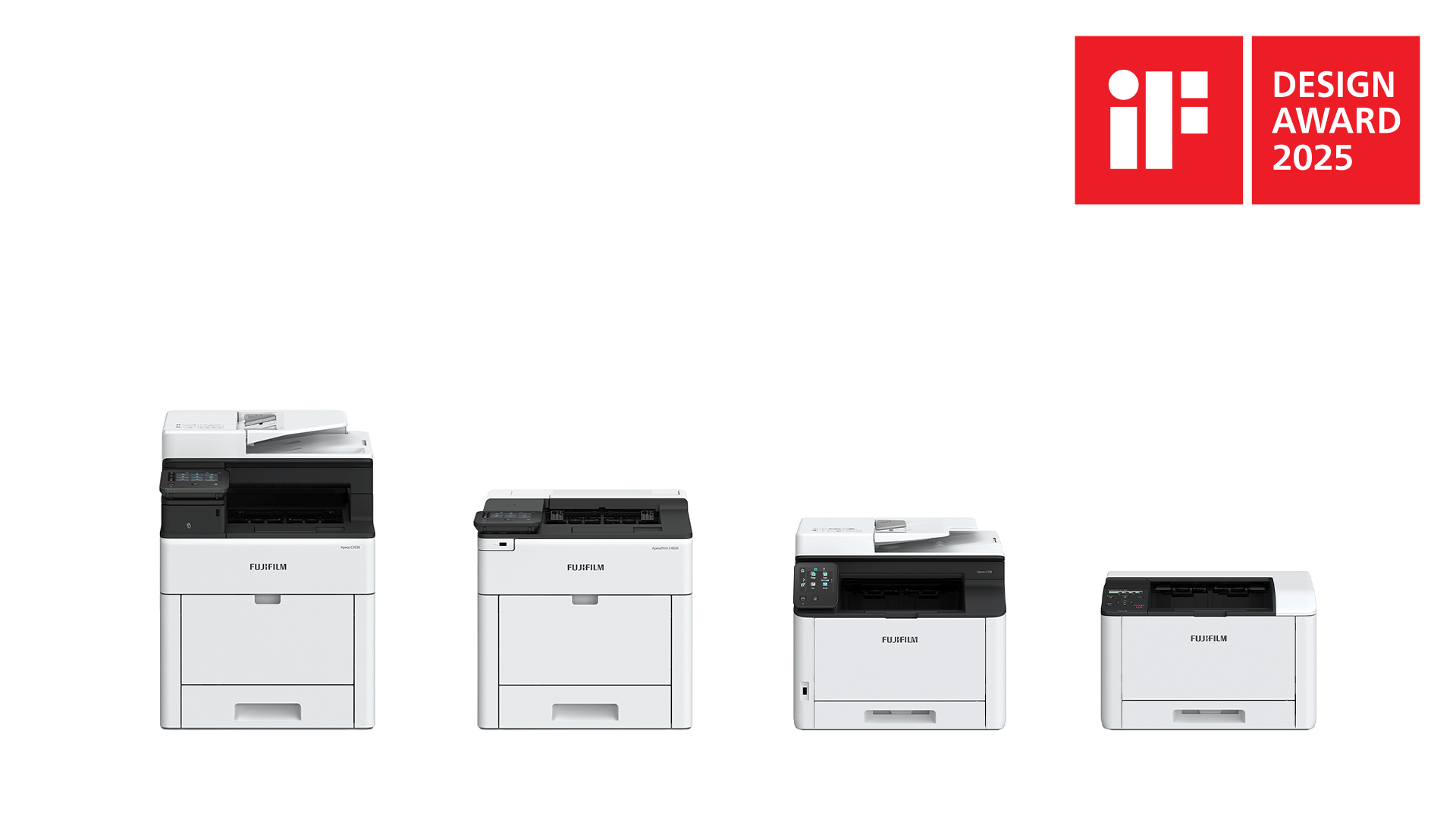
Fujifilm was awarded Germany’s iF DESIGN AWARD, one of the world’s most prestigious design awards, for the Apeos C7070 series in 2024 and for the Apeos C4030/C3530, Apeos 5330/4830, and Apeos C325 series in 2025. Graphic designer Kaho Kamiya shares her unique perspective on the mindset that shaped the design of the Apeos series.
Kaho Kamiya: Graphic Designer
Since 2013, she has been involved with printer user interface (UI) design at Fujifilm Business Innovation Corp. and is one of the designers who participated in the design of the Apeos series from the early stages of the project and plays a central role.
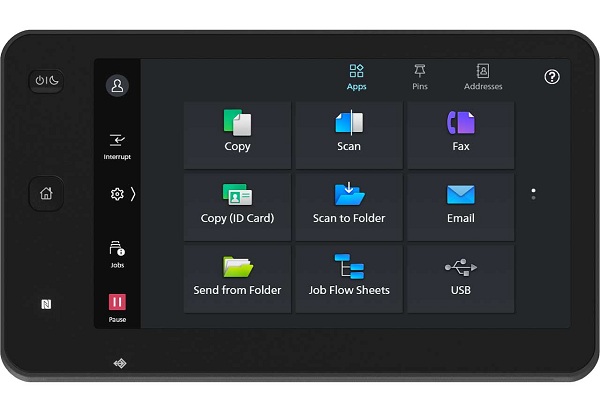
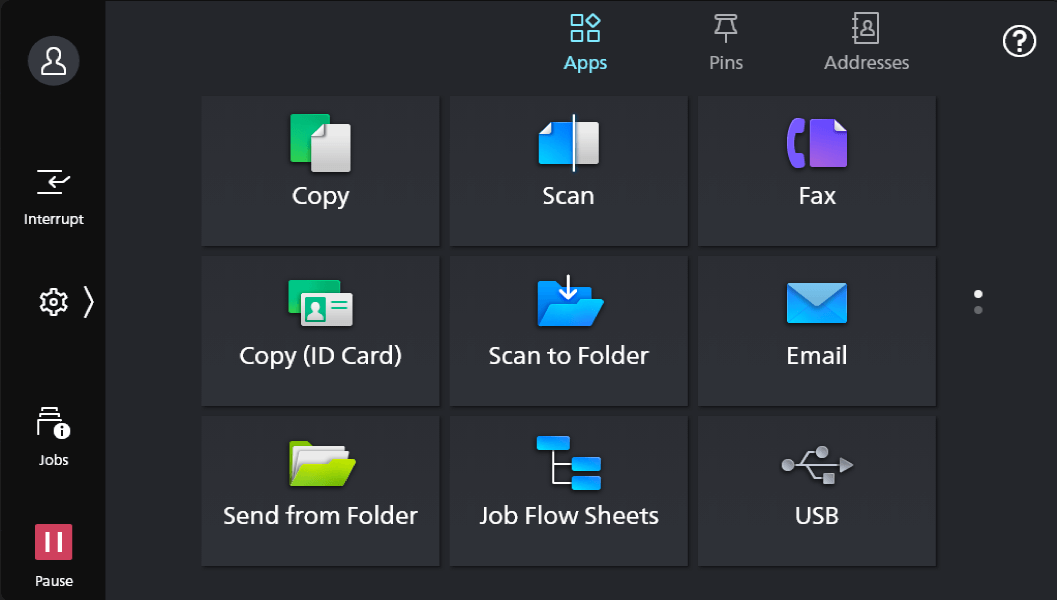
The UI design of the Apeos series adopts an app-based and list-style interfaces, commonly found on smartphones and tablets.
Kamiya: For the Apeos series design project, we thoroughly analyzed future visions of people’s working styles and values, including conducting research and verification. We interviewed office workers in five cities around the world who are actively engaged in remote work and in one overseas city we visited a company that conducts paperless operations to investigate the progress of digitalization in the working environment. Furthermore, we collaborated with a European design company to consider a printer design that takes into account technological and social changes in the worldwide market.
This “UI design with a high degree of affinity with smart devices” was arrived at through such multifaceted activities. We redesigned a UI, which had been optimized for the unique functions of printers, to make it more similar to the way the smart devices that people use in their daily lives do. This is intended to allow users to feel an ease of use that comes from operability similar to that of those familiar devices. The UI design, once refined in this way, was then launched as an Apeos series product in the Japanese and Asia-Pacific markets in 2021 after conducting acceptability surveys in some European countries to evaluate customer reactions.
This UI automatically saves recent operations to the Pins page on the home screen, allowing users to repeat operations or pin them to the top of the page in seconds, ready for immediate access in future.
Kamiya: When we make a call on our smartphones, we call someone from our call history and don’t have to re-enter the phone number from scratch if we’ve called them before. Even with printers, there are often routine operations, such as copying documents in a 2-up layout for regular meetings. However, users don’t want to manually adjust the settings over and over each time; they just want to be able to copy documents smoothly with their usual settings. “The device remembers your previous settings so you can quickly repeat what you want to do”—inspired by the history saving function of smart devices, we came up with Pins Settings.
Kamiya: The foundations of Fujifilm’s printer design are “Designing with Sincerity” and “Human-Centered Design,” which are the philosophies shared by the design teams at Fujifilm and Fujifilm Business Innovation.
We believe that sincerity means honestly communicating to users what a printer can do and clearly informing the users of the printer’s condition. And what is important to us is to always design with the user in mind. By focusing on the entire user experience of using a printer and closely observing user operations, we are able to understand latent needs that users may not be able to express in words—even the emotions they feel depending on the situation in which they use the printer—in order to consider designs that will improve the quality of the user experience.
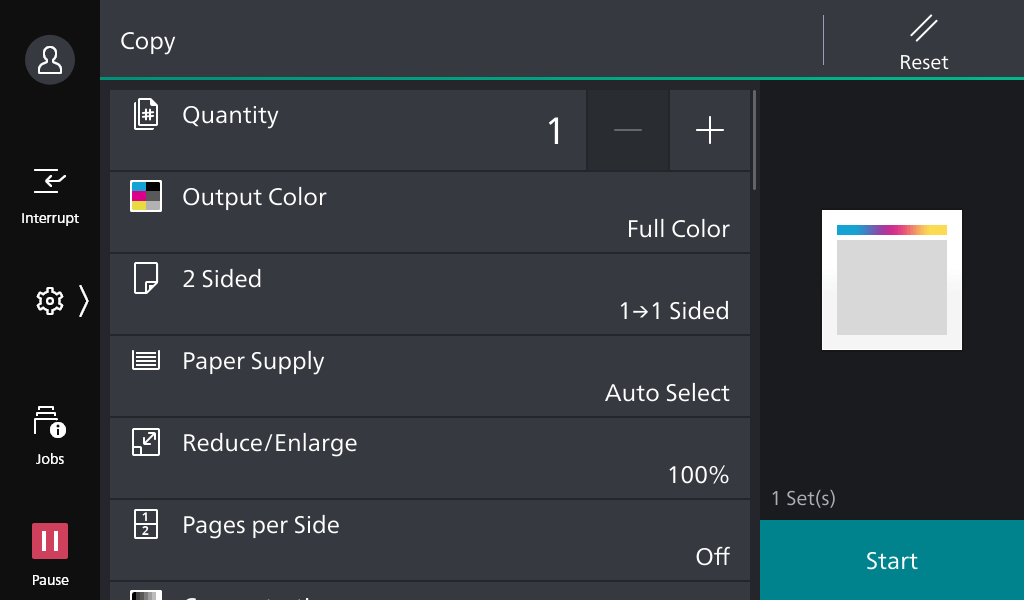
A clear hierarchy of information and strategic use of minimal color reduces the user’s cognitive load and maximizes intuitive usability.
Regardless of the job type, whether printing, scanning, copying or faxing, the layout is consistent, with device-level settings on the left, job settings in the center, and “execute” action in the bottom right, allowing intuitive operation even when users perform unfamiliar tasks. Colors are used sparingly and judiciously, while the “Start” button is highlighted to help users find key actions at a glance.
Kamiya: When many items and colors are displayed on a single screen simultaneously, people unconsciously wonder, “What does this mean?” or “Where should I look?” Our goal with this minimalist design is to show users what they need, when they need it, and thereby provide them with an experience that allows them to use the app without getting lost and smoothly reach the settings screen they need.
Kamiya: We aim to make users feel comfortable not just while they’re operating the printer, but throughout the entire experience, from the moment they decide to use it until after they’ve completed their task. We believe that the essential elements of design are that users should not feel intimidated by the latest models because they are too complicated to use. Users should be able to operate the printer with confidence that they can do what they want to do once they start using the printer. Users also should be able to trust the printer and rely on it to deliver the output they were expecting.
We repeatedly reconsidered what would be needed to enable users to use the printer comfortably and without anxiety.
We design printers with the goal in mind that they not only be easy to use, but also that the user will find the experience pleasant.
The simple, minimalist design is also highly scalable, supporting a consistent visual identity across the Fujifilm’s range of printers, with screen sizes spanning from 10.1 to 2.8 inches.
Kamiya: We aimed to make it so that once you learn how to use one of our printers, you can use other models without having to relearn how to use them from scratch. So, we designed the entire Apeos series, the ApeosPro series, and even some models in the Revoria series to have a unified usability.
We wanted the design to be not only easy to use, but also to have customers clearly recognize, in conjunction with the hardware design, that “This is a Fujifilm printer,” and to have them use our products with peace of mind and trust in the Fujifilm brand.
Kamiya: Since before, we designers have conducted market research after launching new products and used customer feedback to improve our products. After launching the Apeos series in the Japanese and Asia-Pacific markets, we’ve been paying even closer attention to our customers’ feedback and working to improve the UI design. In the Japanese market, our designers themselves have visited over 30 customers, observing things with their own eyes that would be difficult to communicate through writing alone and gaining a deeper understanding of what customers want through in-person dialogue. In the Asia-Pacific market, we visited sales partners to ask for their opinions on the UI design.
During the visit to customers and partners we were extremely surprised to see customers tapping on icons at speeds faster than we had ever anticipated. By gaining a deeper understanding of how various customers use the printer, we realized that some expressions in the conventional UI are difficult for users to understand. To address this, we are implementing various improvements. The Apeos series products launched in the European, US, and Global South markets incorporate improvements from the products launched earlier in the Japanese and Asia-Pacific markets, and the UI design will continue to evolve for future products by incorporating customer feedback.
“I believe that printers of the future will become gateways to various cloud services, and by connecting with the outside world, work productivity and quality will improve,” says Kamiya. She also shared her vision for future UI design, remarking, “We want to constantly keep up with the latest technology and de facto standards for operability, while also increasing the affinity of printer UI designs with other software solutions, and achieve seamless usability throughout the user experience.”