




![[icon] Healthcare IT](https://asset.fujifilm.com/www/my/files/2024-08/8c54e70584c4081f9a826d25413251b5/healthcare-it.svg)
![[icon] X-ray](https://asset.fujifilm.com/www/my/files/2024-08/16de5a31d007bbcae6897896cea0180b/x-ray.svg)
![[icon] Ultrasound](https://asset.fujifilm.com/www/my/files/2024-08/f8411c9bbcc092e69403002d8ec87a2f/ultrasound.svg)
![[icon] Endoscopy](https://asset.fujifilm.com/www/my/files/2024-08/e546ad6bda4d6e375259635b639243a3/endoscopy.svg)
![[icon] In Vitro Diagnostics](https://asset.fujifilm.com/www/my/files/2024-08/45651a1911054d0278aff75e47c62a5f/ivd.svg)
![[icon] Veterinary Medicine](https://asset.fujifilm.com/www/my/files/2024-08/83f5645145bba7afca1a8f71b3729a12/veterinary.svg)
![[icon] MRI and CT](https://asset.fujifilm.com/www/my/files/2024-08/a4c4b5f9cc7e13e1b0ca0d9f7b2f7e4c/mri-and-ct.svg)
![[icon] Inkjet Solutions](https://asset.fujifilm.com/www/my/files/2024-08/7032541b9fb5f48f7128c4d0f0151619/inkjet-solutions.svg)
![[icon] Office Solutions](https://asset.fujifilm.com/www/my/files/2024-08/c0e0aa6e4964be7a6526a23000fa32dc/office.svg)
![[icon] Semiconductor Materials](https://asset.fujifilm.com/www/my/files/2024-08/66f74cc6c187695b6e5b881e283189f4/semconductor-materials.svg)
![[icon] Graphic Arts & Printing](https://asset.fujifilm.com/www/my/files/2024-08/d6b1a32f1e845c70ec5d17a004624e9f/graphic.svg)
![[icon] Photofinishing Products](https://asset.fujifilm.com/www/my/files/2024-08/ee9703dbf24f6be4e3df1ae9b445174f/photofinishing.svg)
![[icon] Optical Devices](https://asset.fujifilm.com/www/my/files/2024-08/b038cdcb48c672de30ab7e0224f3516f/optical-devices.svg)
![[icon] Cine & Broadcast Products](https://asset.fujifilm.com/www/my/files/2024-08/1a15109efbf16cae12a2a437b1c54541/film-and-broadcast.svg)
![[icon] Security Protections](https://asset.fujifilm.com/www/my/files/2024-08/d8dee0abf398463bd1564573f8c24960/security.svg)
![[icon] Manufacturing Process](https://asset.fujifilm.com/www/my/files/2024-08/310ce3db7347bb327992d312f9e18efd/manufacturing-process.svg)
![[icon] Inspectional Products](https://asset.fujifilm.com/www/my/files/2024-08/bc8914dd37045e60b0e03e5534138f35/inspection.svg)
![[icon] Data Management](https://asset.fujifilm.com/www/my/files/2024-08/32d8997a781b7095a93d31cdca37e80b/data-management.svg)
![[icon] Materials](https://asset.fujifilm.com/www/my/files/2024-08/8a30ec1d1fa7bd86f00f15d80e34e801/materials.svg)



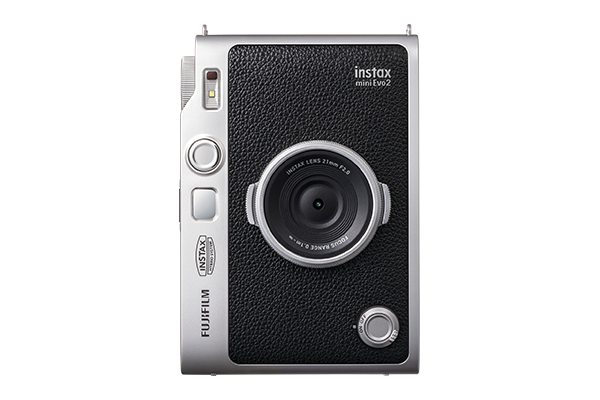
Use the lens and film dials in combination to express your creativity in 100 different ways.
Set up and capture your unique shots using the LCD screen.
The mini Evo sparks ideas to unlock endless ways to express yourself!

Set the light just how you want it with 10 different lens effects.
Express incredible nuance with 10 different film effects.
See beyond the shooting area to frame and capture your subject, effortlessly.
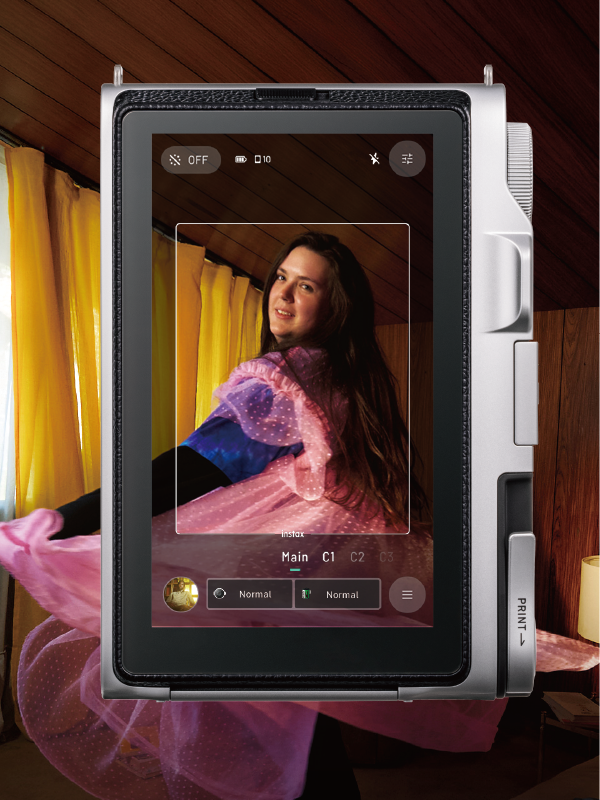
Capture the action before a picture is taken with a mini video*1. Watch it back to relive the moment.
- *1 Five seconds of video is recorded (including the moment the shutter is pressed). Audio is not recorded.
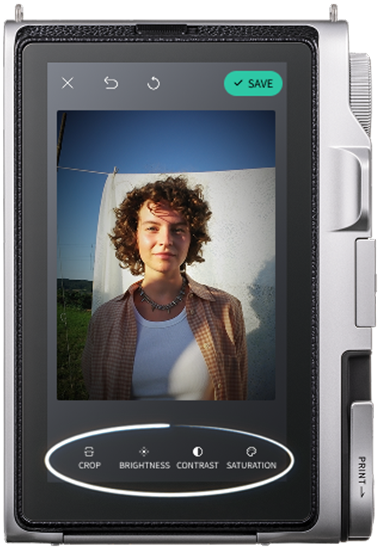
Get the results you want, right on the spot.
Easily edit your photos in-camera, with tools for cropping, brightness, contrast and saturation.
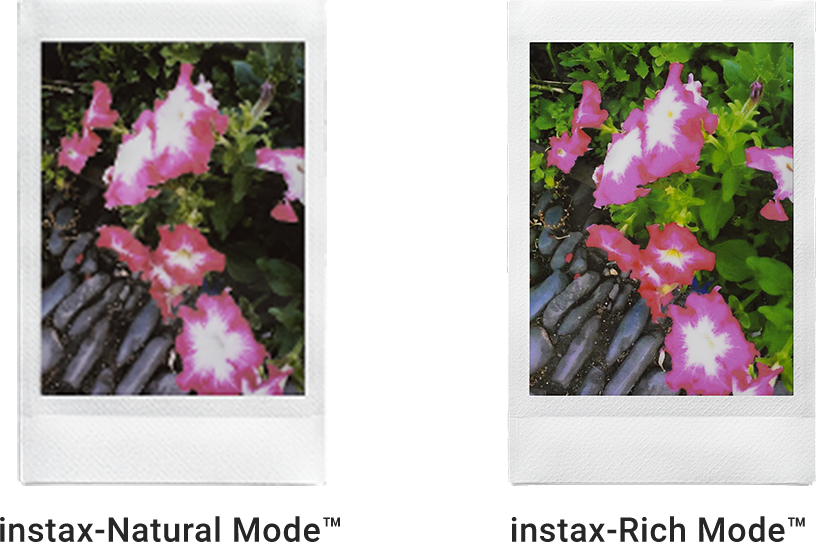
Choose between the soft tones of instax-Natural Mode™ and the vivid look of instax-Rich Mode™ to create photos that reflect your style.
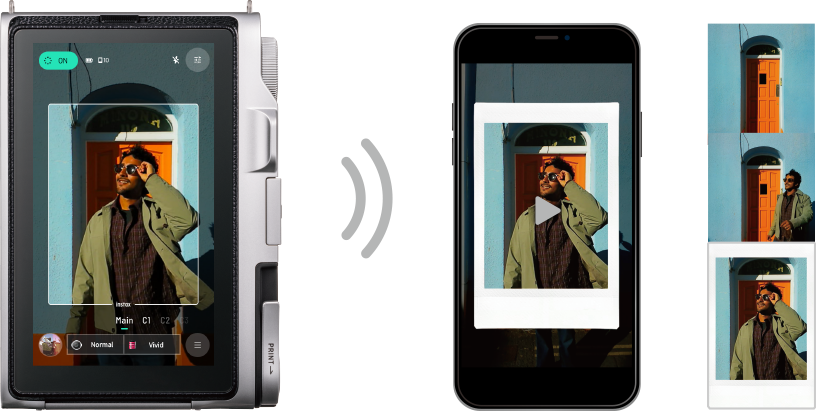
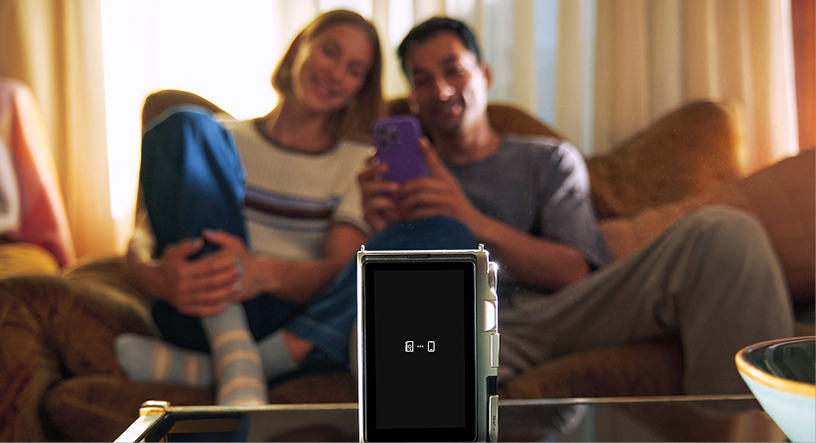
Control the camera remotely from your smartphone to take photos or shoot an instax Immersive Movie™.
Even better with the dedicated app!
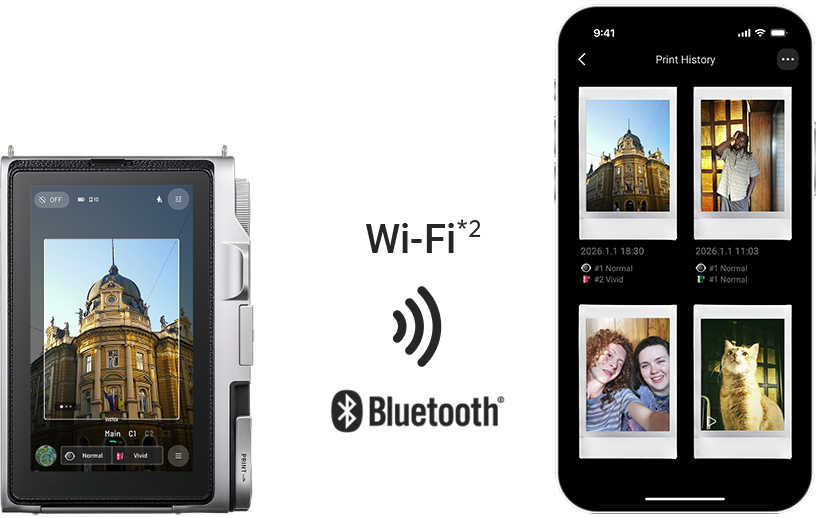
Transfer digital versions of printed images, along with videos, to the app over Wi‑Fi or Bluetooth®.*2
- *2 Photo transfer is supported via Bluetooth® only.
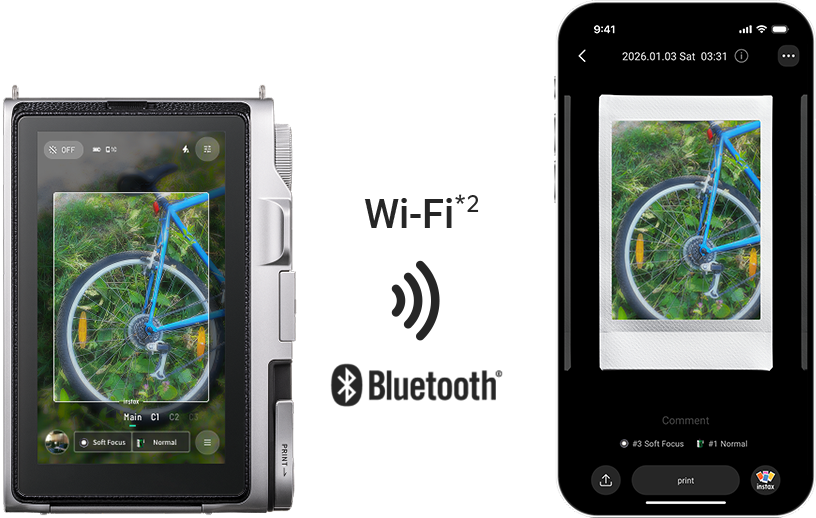
View the videos and images you’ve transferred to the app in your print history, and even add short comments to them.
Using the dedicated app, easily edit transferred images and videos. You can also share them with friends or post them on social media with ease.*2
- *2 Photo transfer is supported via Bluetooth® only.
![[logo] instax mini Evo™](https://asset.fujifilm.com/www/my/files/2026-10/5447eb60ea0a7907385323c267b5b377/icn_instax_app-mini_evo_cinema.png)

- * Apple and the Apple logo are trademarks of Apple Inc., registered in the U.S. and other countries. App Store is a service mark of Apple Inc.

- * Google Play and the Google Play logo are trademarks of Google LLC.