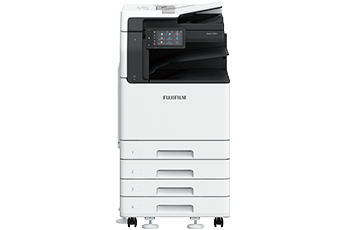



Maximise your productivity by utilising intelligent technologies that optimise workflow efficiency
The high-speed 1-pass, 2-sided scanning Automatic Document Feeder holds up to 130 sheets*2 and scans 2-sided document in one go, allowing you to digitise large documents swiftly and effortlessly.
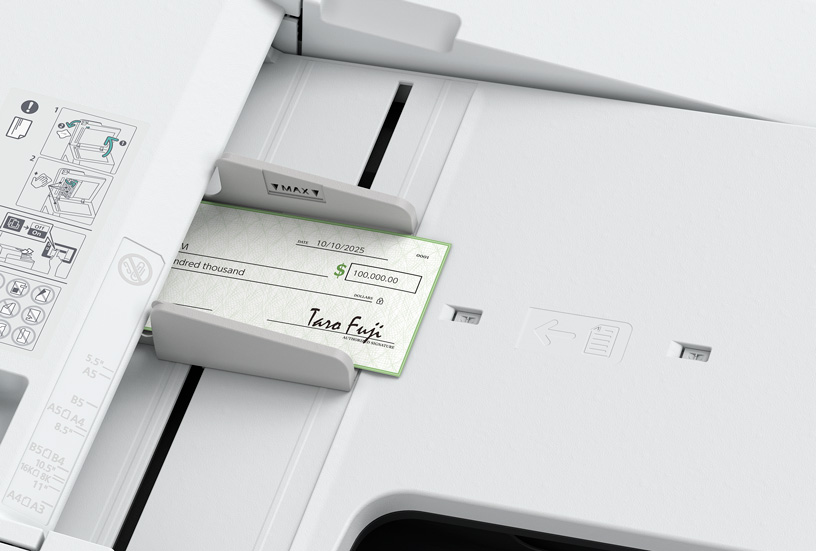
- Supports scanning of small-size documents (49 x 85 mm), thick cheques and thin paper receipts (38 to 128 gsm).
- Scanned documents can be transferred to e-mail, PC, or shared servers.
- Supports multi-sending, such as saving a copy to your PC while sending an e-mail to a client in a single scan.
- Scan directly to / print directly from a standard USB 2.0 flash drive for greater work efficiency.
- *1 Our Standard Document (A4 LEF), 200 dpi, to Folder.
- *2 70 gsm paper.
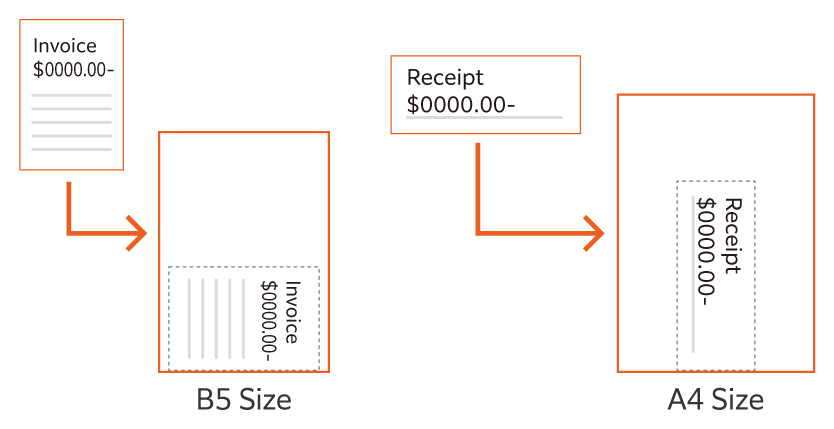
Automatically scans small originals as-is to a standard size
With ScanAuto, the multifunction printer will automatically select scan settings such as document orientation, colour/black and white, 1-sided or 2-sided and sends the scanned files to your email address or PC after automatically removing blank pages.
You can copy both sides of an ID card on a single sheet of paper, or scan and transfer to SMB / FTP / SFTP / Email / URL / My Folder, allowing for easy access and printing when needed.
Our multifunction printer supports server-less solutions, helping you reduce operational costs and improve efficiency without the need for additional hardware investment such as server.
- Server-less Authentication*3 integration manages and shares user authentication information securely between multiple printers without the need of a server.
- Server-less On-Demand Print*3 manages and connects multiple devices, having the flexibility to print and collect the printouts from any of the connected devices.
- *3 Optional.
By registering the Apeos C3061 series to Universal Print by Microsoft in advance, users*4 authenticated with Microsoft Entra ID*5 can print from anywhere through cloud.
- *4 Organisations with Microsoft Windows Enterprise or Microsoft 365 subscriptions.
- *5 Formerly Azure Active Directory.
Designed to flexibly adapt to evolving office environments and diverse workflows
The control panel serves as the gateway, connecting you to various smart applications on the multifunction printer at the touch of your finger. The touch panel provides excellent visibility and operability, responding to every touch and swipe for effortless navigation.
- Note: The displayed screen differs from the factory default. Additionally, the LED lighting status varies depending on the situation. The LED lighting status in the image is for illustrative purposes only.
- Login name display
- NFC touch area
Easily connect with mobile devices. Using Print Utility*6, you can perform basic multifunction printer operations*7 from your smartphone.
- Note: Connect to machine via wireless environment or Wi-Fi Direct® connection.
- Note: AirPrint, Mopria® Print Service, and Mopri Scan are supported for printing or scanning by using a mobile device.
- Quickly access frequently used settings
On the Pins screen, you can restart jobs from the job history. Frequently used settings can be “pinned” to save time. - Remote Operation Panel
Set up and update remote multifunction printers
Device administrators can set up and manage the multifunction printer remotely. By launching the Remote Operation Panel from a web browser, the multifunction printer's control panel can be displayed to and operated from a PC.
- Note: Within the same intranet. While the Remote Operation Panel is active, the multifunction printer's control panel cannot be operated. Additionally, the Remote Operation Panel cannot be launched while the user is operating the multifunction printer.
- *6 It can be downloaded free of charge from Google Play™or App Store.
- *7 Copy, Fax, Print, Scan.
Newly developed toner produces exceptional colours in every tone and shade, while high resolution of 1,200 x 2,400 dpi delivers precise lines and text, giving every print a professional look.
Supports wide range of paper size and weight*8, giving you the flexibility to personalise and print on envelope*9, direct mail, posters, promotional banners, or even long POP displays*10.
- *8 Paper weight from 52 to 300 gsm.
- *9 Envelop and postcard can be printed directly from Tray 1.
- *10 Long sheets up to 297 x 1,200 mm.
The compact design with width of 577 mm and depth of 659 mm*11 fits everywhere, including tight spaces, maximising office space utilisation.
- *11 For 1 Tray standard configuration.
Mitigating environment impact with advanced features such as new toner technology, smart power-saving sensors and staple-free finishing
FUJIFILM Business Innovation promotes climate change mitigation and resource circulation as part of our corporate sustainability policy. Our products incorporate technologies that reduce power consumption and resource use, while maintaining usability.
Adopted a new toner and a fusing unit that enable reducing power consumption during toner fixing, the most power-consuming process in multifunction printers.
By using functional resin, our newly developed toner has achieved industry-leading low fixing temperature*12 that is 15 degrees lower than the toner used in previous models*13.
In addition, the adoption of a new fixing unit achieved both low fixing temperature and exceptional image quality.
- *12 The toner fusing temperature for A3 laser multifunction printers based on internal study conducted in July 2024.
- *13 Toner used in the Apeos C3060 / C2560 / C2060.
In the effort to promote recycling of resources, recycled plastic materials are used*14 for parts such as the front cover and trays.
We have overcome challenges to devise ways to suppress uneven colour of the appearance of recycled plastic, which is said to be difficult to mold. And by improving the strength and rigidity of the parts, we ensure the quality of the product.
The products are designed for easy disassembly and cleaning, enabling parts to be reused or recycled.
- *14 In the case of 4 Tray configuration with Duplex Automatic Document Feeder. 15 % of the total plastic weight of the device is recycled material.
By optimising resin and sheet metal with thinning technology and revising the frame structure, we have achieved a reduction in body weight by 10 %*15 while maintaining the strength and contributing to CO2 emissions reduction in logistics.
- *15 For Model-CPS-ST with 4 Tray configuration. Compared to the previous model Apeos C3060 / C2560 / C2060 Model-CPS with 4 Tray configuration, including toner.
Staple-free Finisher supports staple-free stapling, ensuring waste reduction and increasing safety.
- Less energy and compact with high resolution printing on LED printhead.
- Saves energy with quick startup and smart power saving feature that solely powers on the required parts according to the functions being used by users.
| Apeos | C3061 | C2561 | C2061 |
|---|---|---|---|
| TEC Value*16 | 0.33 kWh | 0.25 kWh | 0.21 kWh |
*16 Figures according to the measurement method established by the International Energy Star Program.
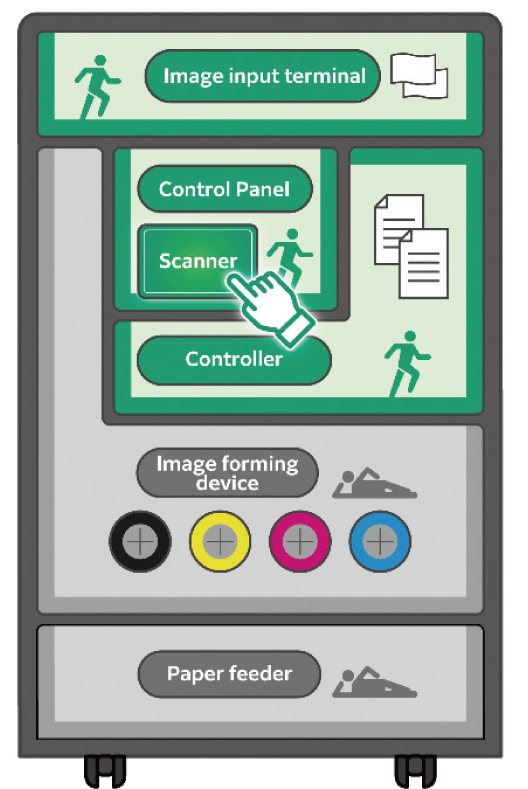
Image Provided by Green Park FLOOP

Learn more LED printhead

Learn more smart power saving
- Functions contributing to paper consumption reduction
- Private Charge Print, Scan, Paperless Fax, Pages per Side/ Multiple-Up, 2-Sided Print*17 etc.
- *17 All the print drivers provided by FUJIFILM Business Innovation Corp. are default to 2-Sided Printing setting at installation.
Protecting your business with proactive security services and robust features
Multiple options of setting user unauthorisation allow administrator to select a right combination as per given environment.
- Local Authentication
- Authentication by Remote Server
- IC Card Authentication*3
- User-specific feature access
- Private Charge Print
Additional layer of unwanted access can be created for specific users. (e.g. guests).
- Secondary Ethernet Kit*3
- *3 Optional.
Protects device settings at multiple levels by clearly demarking change restrictions for different target audience - End users, IT administrators and Service Engineers.
- Service representative operation restriction
- Account lock to prevent unauthorised access
- Information for changing the default password
- Warnings displayed when using global IP address
Prevents unauthorised program from installing without notice.
Robust IT audits are supported with device data logs for easy tracking.
- Software signature verification
- Remote update restrictions
- IP address filtering
- Tampering detection at startup and automatic restoration when tampering is detected
- Prevention of tampering during operation
- Audit log
- Audit log system transfer
Protects against any malicious intent of hacking, tampering with device / system settings.
- Uses TPM*18 2.0 chip for encryption key management
- Deletes settings and document information all at once
- Data writing to SSD is encrypted with robust AES-256 encryption
Protects the information by means of strong encryption while transferring it between devices, servers etc.
- Encryption of communication paths by SSL/TLS or IPsec
- Encryption when transferring via SMBv3 and SFTP
- Scan file encryption/signature
- Email encryption and signature by S/MIME
- TLS version limit
- Elliptic curve cryptography
- WPA3
- *18 Trusted Platform Module.
Prevents information leakage due to inadvertent mistakes by administrators and users.
- Scan documents to be delivered to fixed destination
- Re-enter fax recipient
- Annotations
- Watermark

![[image] Apeos C7070 / C6570 / C5570 / C4570 / C3570](https://asset.fujifilm.com/www/si/files/2025-03/52b8cb50771395b1f9bf3e34361cddca/thumb_apeos-C7070_01.png)
![[image] Apeos C3060 / C2560 / C2060](https://asset.fujifilm.com/www/si/files/2025-03/7e6c791d82e052a717ce65b6f52abad4/thumb_apeos-c3060_01.png)
![[image] Apeos 3560 / 3060 / 2560](https://asset.fujifilm.com/www/si/files/2025-03/562a07cc0696140ce1dbc971e618d26f/thumb_apeos-3060_01.jpg)
![[image] Apeos C3567 / C3067 / C2567](https://asset.fujifilm.com/www/si/files/2026-03/7a019788587f5312a77a72e997db3c8d/thumb_apeos-c3567-c3067-c2567_01.png)