


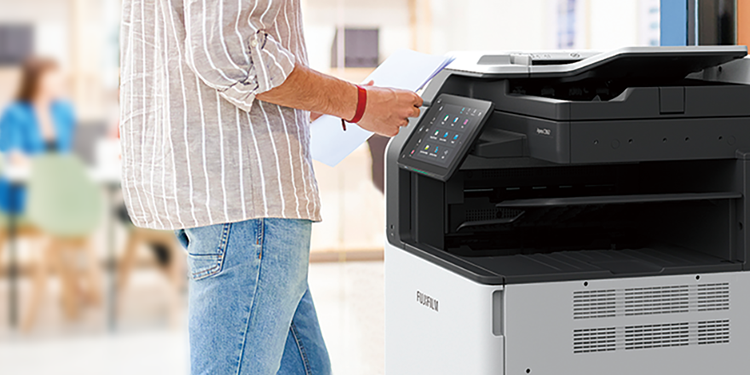









Working Folder links to FUJIFILM Business Innovation multifunction devices.
Get the most from your company documents.
Incoming faxes or scanned documents can be automatically uploaded to Working Folder. Get instantly updated whenever a document is upload with the email notification settings.
You can print documents and upload scanned data on Working Folder using the control panel on the multifunction printer.
- Note: Thumbnail view is available for DocuWorks and PDF documents, and Tiff images, however, thumbnails may not be displayed depending on security settings of the documents.
Incoming faxes can be automatically sorted into corresponding folders in Working Folder by fax number (G3ID) or sender name. Get instantly notified by email whenever faxes are received. By linking with DocuWorks Tray, faxes from regular customers can be sorted out automatically per person in charge with pop-up message. It helps speed up business by making quicker response to urgent matters.
- Note: Please refer to the multifunction device operational environment in the FUJIFILM Business Innovation official Web site regarding supported model of this function.
- Note: The fax numbers registered in G3ID or the sender names may not be correct, as they are manually set by the sender.
Usability is enhanced further by linking to software/services offered by FUJIFILM Business Innovation. Streamline management/operation of business documents to support global communication.
Linking to Scan Translation Service allows you to translate business documents stored in Working Folder. Translated documents linked to DocuWorks can be easily downloaded via a fast drag and drop operation. DocuWorks Tray and DocuWorks Desk provide a smooth, efficient document workflow.
- Note: DocuWorks and DocuWorks Tray are sold separately. Requires a Scan Translation Service contract.
"Task Space"* is a "portable electronic desk" that links Working Folder and DocuWorks. It lets you to edit and save documents regardless of location or hardware terminal, so you can make use of DocuWorks any time and anywhere.
- *1 Task Space is a feature of DocuWorks 9.
- Note: DocuWorks is sold separately. Linking requires DocuWorks Extended Folder for Working Folder.
You can link DocuShare Collection with a specified folder in Working Folder and sync both. This is the ideal solution for sharing updates with others, including business associates. For example, you can exchange information with clients to streamline transactions.
DocuShare tracks all communication, which can be used for information system audits.
- Note: DocuShare Extended Folder for Working Folder is required for the server. You need to sign a DocuShare contract separately.
Working Folder allows offices that are not connected to the same intranet — or different companies — to share information efficiently.
As a registered user, you can notify unregistered users by e-mail of an exclusive URL, which they can use to download files from Working Folder.
- Create Shared Folder
- Notify exclusive URL
- Upload via exclusive URL
- Destination
Up to 20 destinations assignable.
Register your contact e-mail addresses and groups in the address book up to 100 destinations each. Destination can be selected from the send history list.- Valid period
Date of up to 30 days ahead specifiable.
- Password
Set the password as a required entry.
- Download status
Check the download status by monitoring the number of users who downloaded the file.
- Share history
A list shows the documents that are being shared or expired
- Cancel sharing
The user who shared the document can cancel the document sharing if necessary.
You can also notify unregistered users of an exclusive URL, which they can use to upload files to Working Folder. This lets you receive large files from clients and vendors, with no hassle at all.
- Create Shared Folder
- Notify exclusive URL
- Upload via exclusive URL
When a document is shared on Working Folder, a notification will be sent to the registered e-mail address. The document becomes accessible anytime from various devices.
E-mail notification can be sent according to the settings when a document is uploaded by an operation client such as multifunc-tion devices, web browsers, DocuWorks and DocuWorks Viewer Light.
You can access the uploaded document via the notified URL link from mobile devices including iPad, iPhone and Android™ devices in addition to computers.
Working Folder offers a variety of functions to assist business development and increase efficiency.
Work in a secure, dependable environment.
Working Folder realises internal and external information sharing under a secure environment by access permission and data encryption.
Access permissions can be set for each user and group on Folders in Public Folder and all Drawers. Two permissions can be specified: Read-Only and Write.
You can specify to either enable or disable the IP address restriction.
Up to 50 IP addresses can be added to the permitted address list.
Your data is encrypted with highly secure cryptosystem and stored in our data centre.
While all functions are available to Standard Users, the functions available to Restricted Users are limited. This is useful when assigning user permission to project members outside the company.
Sufficient equipment is configured to ensure continuity of customer business.
With Working Folder, all the files are encrypted when they are saved. Therefore, it is impossible for third parties to know the contents of these files.
All the clients communicate by using the HTTPS protocol only. Since all the contents of communication are encrypted, wiretapping by third parties on communication paths on the Internet can be prevented.
Redunduncy is provided for Working Folder service using multiple data centers. Therefore, it is possible to minimize service interruption caused by disasters including earthquakes and power failures.
Our service backs up several version of the stored data to protect them from logical failures such as human errors and software failures.
To protect data from physical failures, our service uses Amazon Simple Storage Service (Amazon S3) to ensure 99.999999999 % durability and 99.99 % availability.
Support for mobile devices allows timely access to documents both in and out of the office!
DocuWorks Viewer Light (iOS/Android), the dedicated application, allows you to access Working Folder to view the document anytime, anywhere.
Mobile access from unregistered devices can be restricted by registering Mobile App IDs, which are issued to identify the devices on DocuWorks Viewer Light (iOS/Android), on Working Folder.
Combined with the IP address restriction, this feature enables access control tailored to suit your security needs.
Pictures and movies shot with a mobile device can be uploaded to Working Folder and shared in real-time using a web browser (mobile version) or DocuWorks Viewer Light (iOS/Android)
- Note: Screenshots show operation on DocuWorks Viewer Light (Android).
Secure Drawer allows you to view documents stored on Working Folder without downloading them to your mobile device. You can maintain the high security level when viewing documents outside of the office.
- Note: Documents in Secure Drawer can be viewed only when accessed by web browsers (both PC and mobile versions).