



The print server with 64-bit architecture delivers high speed RIP and high image quality with image processing technologies cultivated in the development of color production printers.
High quality image data can be generated with RIP processing of 600 x 600 dpi and 8 bit (256 gradation levels) on the print server. In addition, high resolution and smooth screen image of 2400 x 2400 dpi can be generated on the device with our unique HQ digital screen technology (MACS*1) employed. These data processing technologies have realised high image quality brought from the maximisation of the print engine performance.
- *1 Micro Accurate Control Screen.
Adobe® PDF Print Engine directly rasterises PDF data. Even a PDF file with transparency or layers can be processed as it is and faster and high quality output is possible. Blur, drop shadow and glow effect can be used with ease.
- Note: Adobe® PDF Print Engine is available for jobs in PDF and JDF formats.
- Faster processing with less data volume
Our unique intermediate data format streamlines RIP processing with high image quality and small data size. In the conventional RIP processing, calculation takes a long time due to large data volume. However, this new RIP processing automatically identifies objects including text and image and processes them in the format. It greatly reduces the processing time without degrading image quality. - High-speed serial transmission
The print server sends huge raster data to the printer with a wideband transmission of 4.25 Gbps. It ensures high reliability by automatically detecting and correcting errors.
High-speed, large volume printing of personally customised documents: direct mails, bills, usage details statements, etc. is enabled. It meets the business needs of One to One marketing which captures diversifying customers' individual needs. With industry standard PPML*2, and PDF/VT are supported to establish variable printing systems.
- *2 PPML: Personalized Print Markup Language
JDF*3, which is the standard in the printing industry is supported. Linking with integrated workflow systems for printing operation*4, you can build a hybrid workflow with offset printing device and digital printer.
- *3 JDF: Job Definition Format
- *4 Linked with "FUJIFILM WORKFLOW XMF" of FUJIFILM Corporation and "EQUIOS" and "Trueflow SE" of SCREEN Graphic Solutions Co., Ltd.
| Job type | 1 Sided | 2 Sided |
|---|---|---|
| Scan job*5 | 135 ppm (Color/BW) |
270 ppm (Color/BW) |
| Copy job | 100 ppm (BW) | |
- *5 Standard Document (A4), 200 dpi, to Folder.
The following useful scan functions are available.
- Scan to PC*6
- Store to Folder*7
- *6 Scanned files are sent and stored to PC folders via FTP transfer or SMB.
- *7 Scanned files are stored to Folders on the device. To store them to PC, use web browsers, Stored File Manager 3 belonging to Network Scanner Utility 3, or TWAIN compliant applications.
Important print data provided by customers can be protected from data breaches by encrypting data in the print server storage. Besides, data in the printer can be encrypted*8 to prevent unauthorised access.
- *8 Default setting: OFF
Authentication features prevent unauthorised use of the device for security. Authentication operations can be performed at the device control panel. User information can be saved and managed on the device.
We are working to develop environmentally conscious products, including technologies that reduce the power consumption of multifunction devices and printers to achieve lower environmental impact.
Fujifilm Group introduced the certification program in which we clarify the environmental value of each product by assessments at the time of product development, conduct the evaluation based on our in-house certification criteria and certify the products*9 that are excellent in reducing environmental impact as "Green Value Products".
This product was certificated as a "Gold" rank product that contributes to reduction of environmental impact at industries' highest level.
In addition to introducing recycled plastics as part of environmentally conscious design, we also provide a menu of important maintenance parts as well as regular periodic replacement parts. The important maintenance parts menu selects parts replaced in a high frequency based on past maintenance records of the products used for a long-term. By replacing them at an appropriate timing, it enables longer stable operation of the product than ever. This contributes to extending the product lifespan, resource conservation, and CO2 reduction.
- *9 Products and services excellent in reducing environmental impact are those designed in consideration of environmental impact throughout their life cycle from acquisition of raw materials, production, usage, disposal, to reuse.
To reduce power consumption, the device enters Low Power mode if not used for a fixed period of time, and after a set period of time has elapsed, it shifts to Sleep mode, and then the power turns off. The power consumption in this off mode is 0.7W.*10
- *10 These settings can be configured in administrator mode from the menus on [Device] screen, [System settings] > [Power Saver Settings] > [Scheduled Power Off].
Private Charge Print, Scan, Paperless Fax, Multiple-Up printing (multiple pages per sheet), 2-sided printing*11, etc.
The inspection device reduces the user's workload and paper waste for adjustment, and thus contributes to reducing carbon footprint of printed materials.
- *11 All print drivers provided by FUJIFILM Business Innovation are set to 2-sided printing by default at installation.


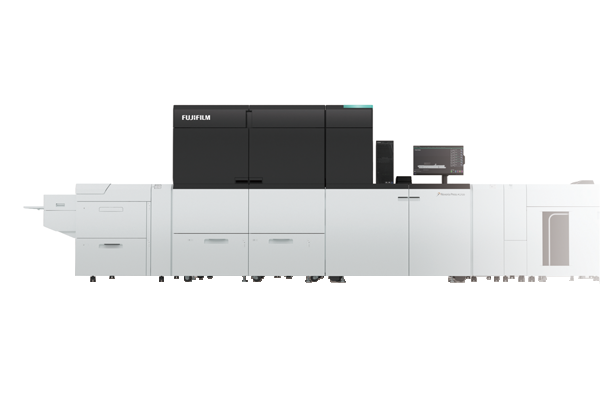
![[image] ApeosPro C810 / C750 / C650](https://asset.fujifilm.com/www/us/files/2024-11/03cc19b3798f8408f68773100827017e/thumb_apeospro-C810-C750-C650_01.png)