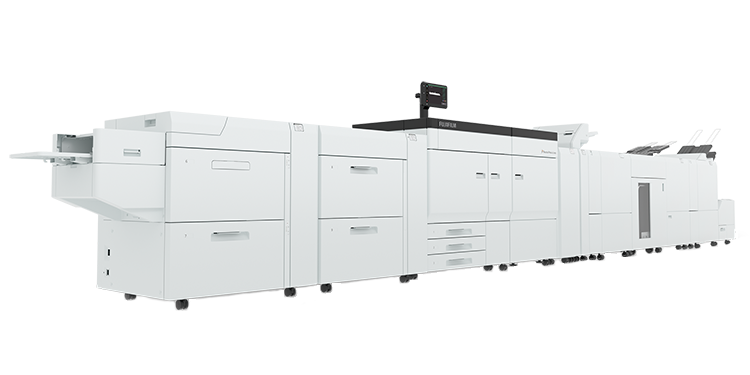
ART EX Driver for Revoria Series (Microsoft WHQL Certified Driver)
Please read the notes and the software license agreement carefully before downloading this software. If you do not accept any of the terms of this agreement, you must not download this software.
Description
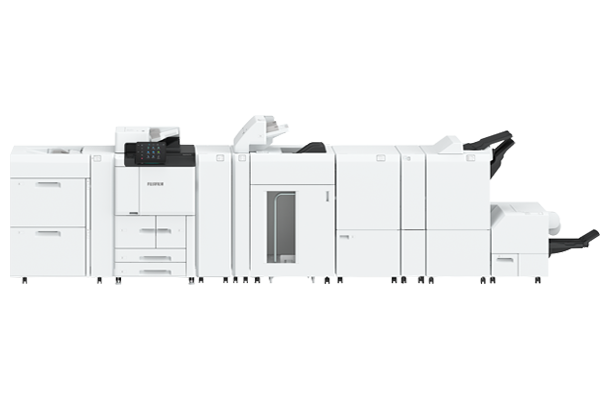
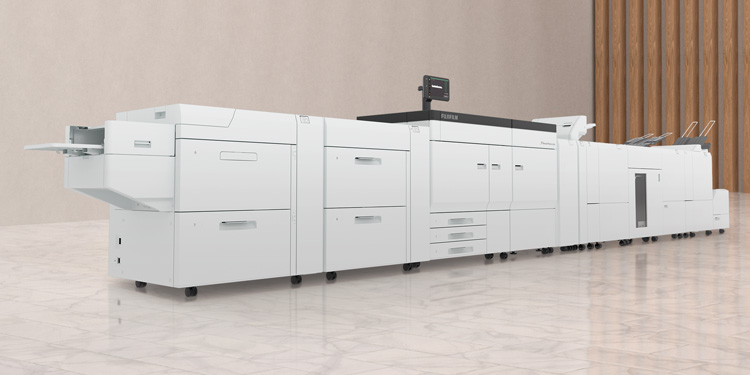
- This software is a printer driver including installation tool. It is compatible with all products listed in the Machines column.
- This print driver is certified by Microsoft for Windows logo and able to be installed without any warning dialogs of Windows, however,it may not be the latest version.
Download
| File Name | ffopkplw250410w643fml.exe |
|---|---|
| File Format | Self-Extracting File |
| File Size | 23,906,336 bytes |
Hints of the download failure(Japanese)
Specification
| Software | ART EX Driver for Revoria Series (Microsoft WHQL Certified Driver) |
|---|---|
| Version | 7.1.12 |
| Date | Aug. 12, 2025 |
| Machines |
|
| Environment |
|
| Restriction | Reproduction, reallocation, resale is prohibited. |
| Copyright | FUJIFILM Business Innovation Corp. |
Notes
Operational Environment
Although support for Windows 10 has ended, we continue to be listed on the official website until further notice.
Please note that we are unable to respond to Inquiries or provide any further Driver Updates or Fixes related to the operation on Windows 10.
Installation
- Download and save the file into an empty folder.
- Run the executable file to unpack the download files.
- Install the unpacked software referring readme.
For more information, please read readme file.
notes
Please read readme file.
The history of modifications
Aug. 12, 2025 : Ver. 7.1.12 Version Up
Modifications from the last release
- Added support for Revoria Press SC285S / SC285.
Apr. 21, 2025 : Ver. 7.1.8 Version Up
Modifications from the last release
- Removed unnecessary explanatory text in the help section on [EMF Spooling] on the [Advanced] tab.
- Added the [Restriction of Job Type] function so that the [Job Type] can be fixed to [Secure Print].
The target models are as follows.- Revoria Press E1136 / E1125 / E1110 / E1100
Dec. 23, 2024 : Ver. 7.1.7 Version Up
Modifications from the last release
- Revoria Press E1136 / E1125 / E1110 / E1100 supported 2nd High Capacity Feeder and Chained Air Suction Feeder.
- Revoria Press E1100 supported High Capacity Feeder, Air Suction Feeder, Square Back Fold Trimmer, Crease/Two-sided Trimmer and High Capacity Stacker.
- Fixed an issue that the upgrade to Ver 7.1.6 failed.
Sep. 12, 2024 : Ver. 7.0.7 Version Up
Modifications from the last release
- Fixed an issue that occasionally caused the settings of our already installed printer drivers and direct fax drivers to be reset to their default values when installing a new printer driver.
Sep. 27, 2023 : Ver. 7.0.6 Version Up
Modifications from the last release
- Changed default value of [Height] when [Three Edge Trim] is specified.
- Improved behavior of Saved Settings function.
Jun. 22, 2023 : Ver. 7.0.5 Version Up
Modifications from the last release
- In accordance with fixing an issue that an application may freeze does not work on the Windows 11 (64bit) 22H2, the software is updated to improve stability in the 32bit and 64bit mixed environment.
Jul. 7, 2022 : Ver. 7.0.2 install-tool Update
Modifications from the last release
- It became possible to change the default value for [2-sided Print] at the driver installation.
May. 31, 2022 : Ver. 7.0.2 Version Up
Modifications from the last release
- Fixed the problem that the [Face Up / Down Output] function could not be set to the Revoria Press E1100.
- Added the ability to control [Skip Blank Pages] function for 2 Sided Printing.
- Added the function to print images on the overlap margin area when printing Poster.
Jul. 20, 2021 : Ver. 7.0.0 Release
- Release
SOFTWARE LICENSE AGREEMENT
The license agreement for this software (hereinafter referred to as the SOFTWARE), is described as follows.
- Intellectual property rights in the SOFTWARE shall remain in FUJIFILM Business Innovation Corp. (hereinafter referred to as FUJIFILM Business Innovation) as well as the original copyright holders.
- The SOFTWARE can only be used with compatible FUJIFILM Business Innovation products (hereinafter referred to as the COMPATIBLE PRODUCTS) within the country of purchase of the COMPATIBLE PRODUCTS.
- You are required to abide by the notes and restrictions (hereinafter referred to as the NOTES AND RESTRICTIONS) declared by FUJIFILM Business Innovation while using the SOFTWARE.
- You are not permitted to alter, modify, reverse engineer, decompile or disassemble the whole or any part of the SOFTWARE for the purpose of analyzing the SOFTWARE.
- You are not permitted to distribute the SOFTWARE on a communication network, or transfer, sell, rent or license the SOFTWARE to any third party by duplicating the SOFTWARE on any media such as floppy disk or magnetic tape.
- FUJIFILM Business Innovation, FUJIFILM Business Innovation Channel Partners, Authorized Dealers and the original copyright holders of the SOFTWARE shall not be liable for any loss or damage arising from matching of hardware or program that are not specified in the NOTES AND RESTRICTIONS of the SOFTWARE, or any modification to the SOFTWARE.
- FUJIFILM Business Innovation, FUJIFILM Business Innovation Channel Partners, Authorized Dealers and the original copyright holders of the SOFTWARE shall not be responsible for any warranty or liability with respect to the SOFTWARE.