

Apeos 3561 / 2561
True scalable solutions to start your digital journey

Overview
Embark on your digital transformation journey
Designed to accelerate your digital transformation (DX) journey, new Apeos series with its smart and seamless integration features present itself as a trusted digital partner.
- Designing Simplicity
Designed for all, our devices deliver ease of use, accessibility and personalisation features for a true intuitive experience. - Offering Scalability
Promote easier collaboration and enhanced accessibility with paperless office solutions. - Creating Environmental Sensitivity
Driving organisation awareness towards creating a low impact environment with advanced features such as low melting point (low energy) toner technology, smart power-saving feature or staple-free finishing.
Features
Easy-to-use 7-inch control panel delivers intuitive user experience and personalisation
The control panel serves as the gateway, connecting you to various smart applications on the multifunction printer at the touch of your finger. The touch panel provides excellent visibility and operability, responding to every touch and swipe for effortless navigation.
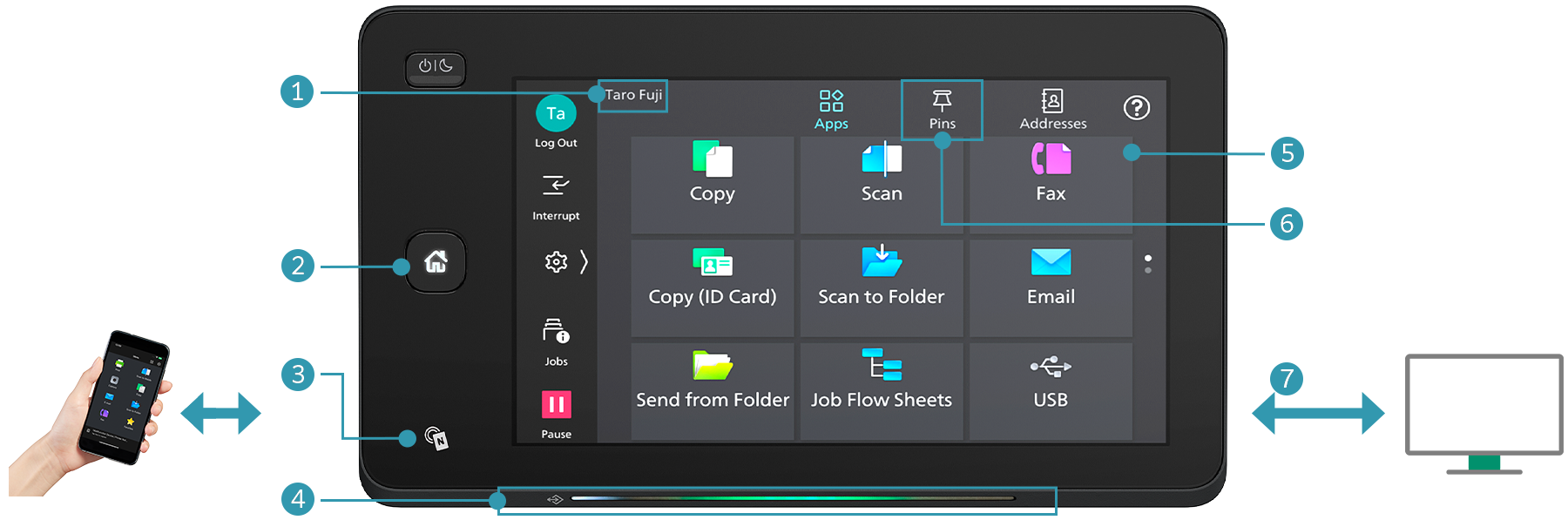
- Login name display
- Home button lights up with LED
-
NFC touch area
Easily connect with mobile devices. Using Print Utility*1, you can perform basic multifunction printer operations*2 from your smartphone.- *1: Connect to the machine via wireless environment or Wi-Fi Direct® connection. It can be downloaded free of charge from Google PlayTM or App Store.
- *2: Copy, fax, print or scan.
- Note: AirPrint, Mopria® Print Service, and Mopria Scan are supported for printing or scanning by using a mobile device.
- Pleasant, gentle lighting notifies you of operation completion or errors
- Connect instantly from the app buttons
-
Quickly access frequently used settings
On the Pins screen, you can restart jobs from the job history. Frequently used settings can be "pinned" to save time.User-friendly home screen
Frequently used app buttons can be arranged and customised based on individual user's preference. -
Remote Operation Panel
Device administrators can set up and manage the multifunction printer remotely.
By launching the Remote Operation Panel from a web browser, the multifunction printer's control panel can be displayed to and operated from a PC.- Note: Within the same intranet. While the Remote Operation Panel is active, the multifunction printer's control panel cannot be operated. Additionally, the Remote Operation Panel cannot be launched while the user is operating the multifunction printer.
- Note: The displayed screen differs from the factory default. Additionally, the LED lighting status varies depending on the situation. The LED lighting status in the image is for illustrative purposes only.
Make an impression with every print
High-resolution printing of 1,200 x 2,400 dpi is achieved with newly adopted LED printhead. The newly developed toner, combined with advanced image enhancement processing, reproduces diagonal lines, character outlines, and smooth halftones, giving every print a professional finish.
Small footprint fits in every office space
The compact design with width of 577 mm and depth of 659 mm* fits everywhere, including tight spaces, maximising office space utilisation.
- * For 1 Tray standard configuration.
Print seamlessly with versatile media support
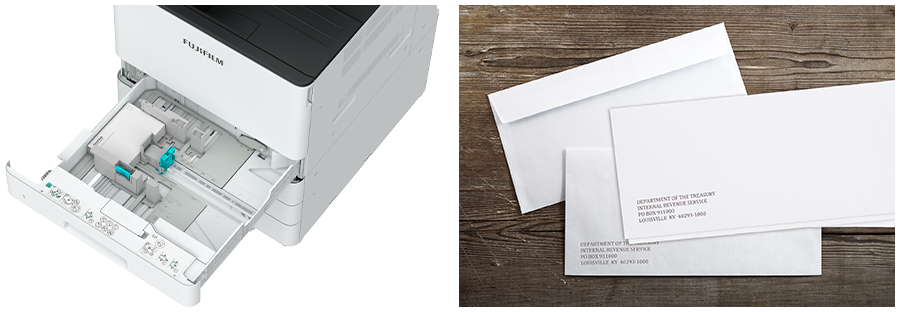
Supports wide range of paper size and weight*1, giving you the flexibility to personalise and print on envelope*2 direct mail, flyers, or even long banners*3.
- *1: Paper weight from 52 to 300 gsm. 106 to 300 gsm, when the Envelope Feeder is on.
- *2: Envelope and postcard can be printed directly from Tray 1.
- *3: Long sheets up to 297 x 1,200 mm.
Professional finishing solutions (optional) that scale with business needs
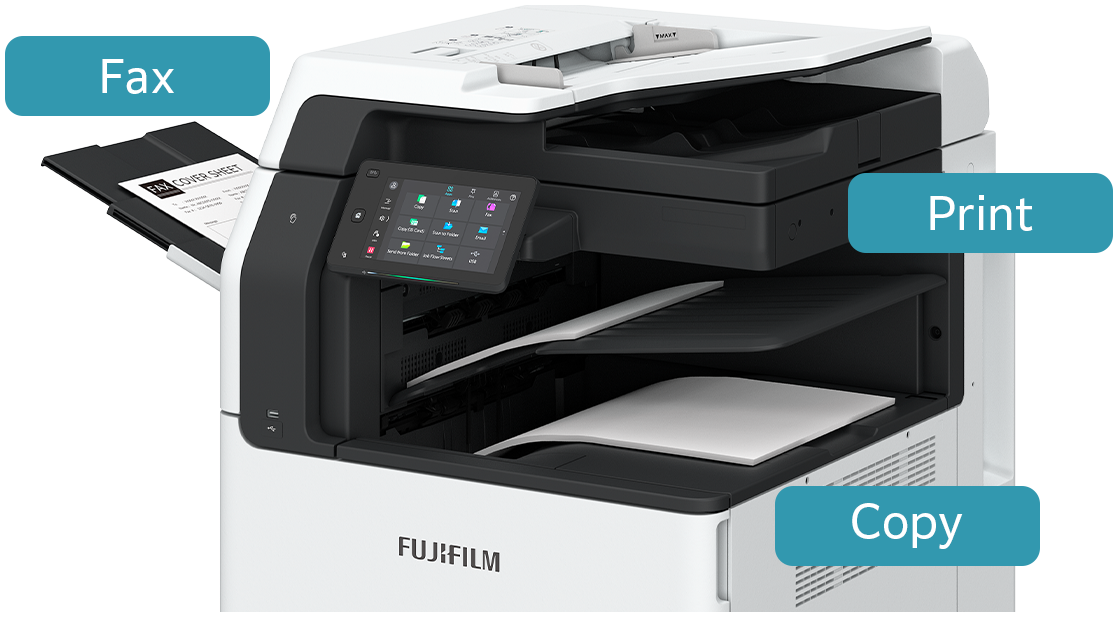
Side Tray
Supports output from three locations for Copy, Fax, and Print functions. This way, important received faxes are not missed, and output paper can be quickly retrieved.
Finisher-A3 + Side Tray
- Staple
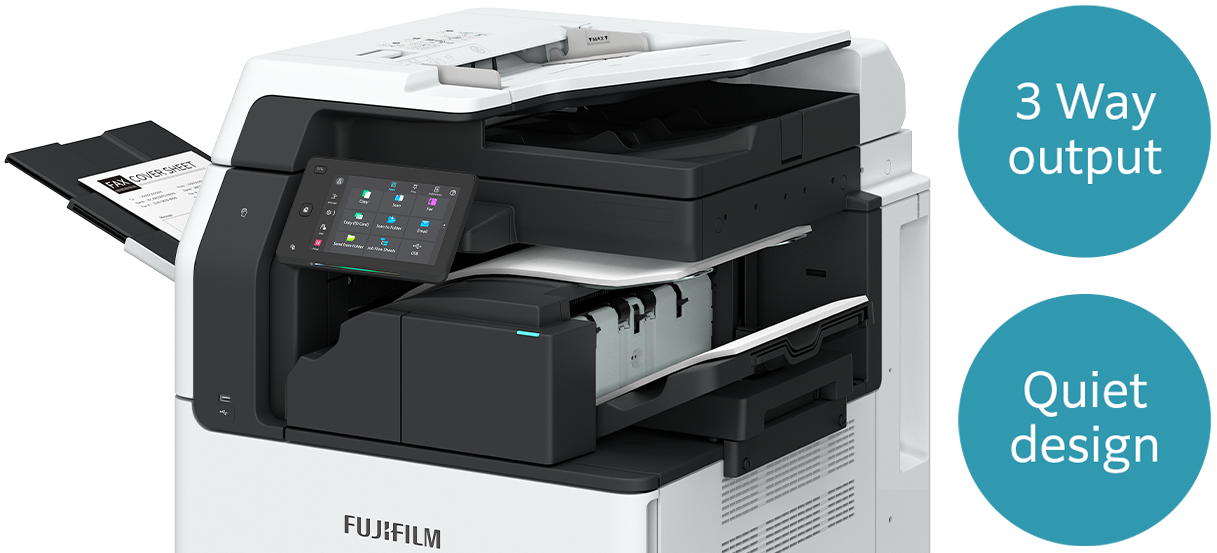
Finisher-B4 / B5*1 + Booklet Maker Unit + Side Tray
- Staple
- Staple-free Staple*2
- Punch*3
- Saddle Staple*4
- Single Fold*4
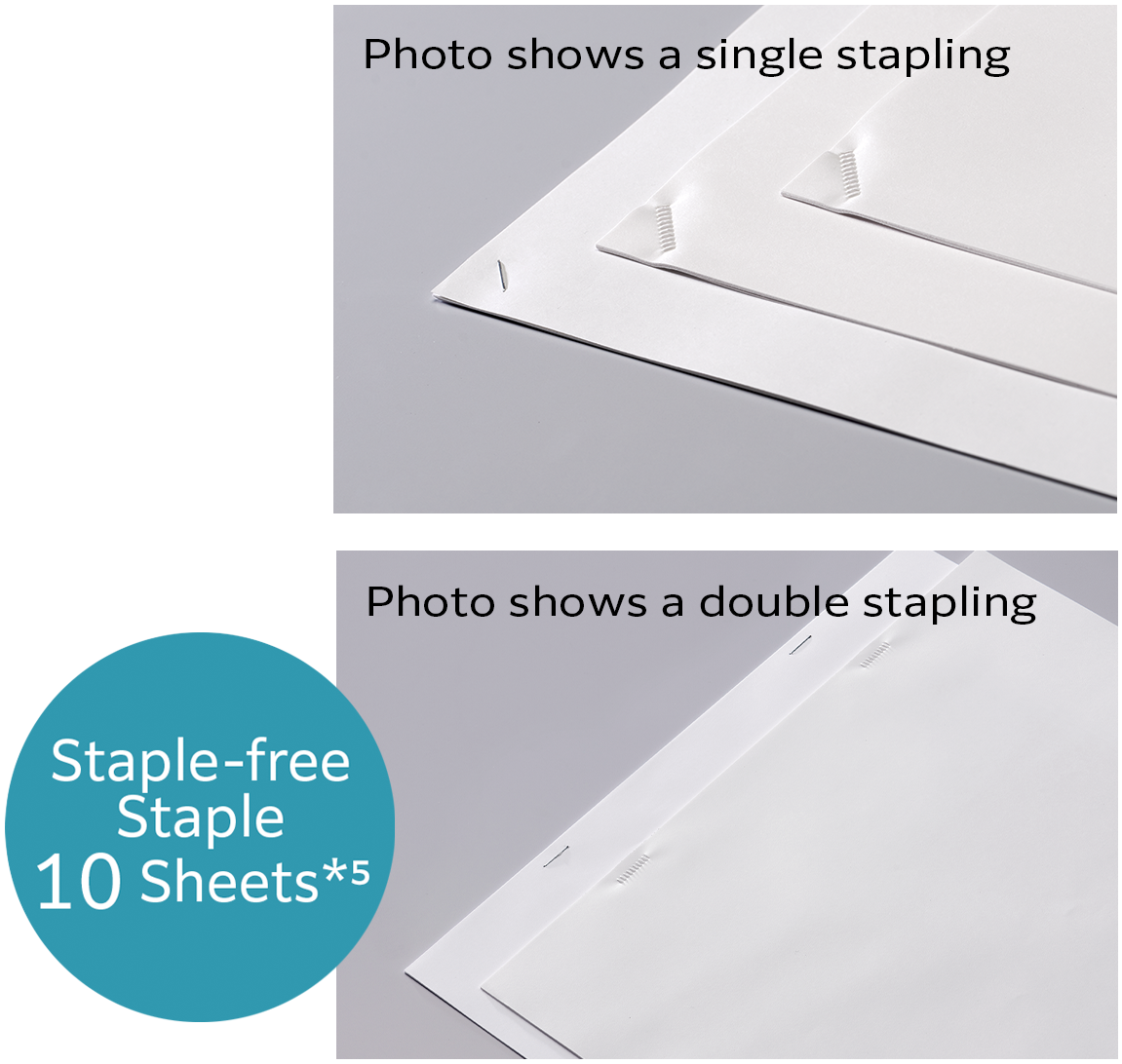 Supports single and double Staple-free Stapling*2
- *1: Optional 3 Tray Module or 1 Tray Module with Cabinet and KIT Finisher-B4/B5 INST are required.
- *2: Staple-free stapling is available with Finisher-B5.
- *3: Optional Punch Module is required.
- *4: Booklet Maker Unit is required. When specifying Saddle Staple or Single Fold with Finisher-B4/B5, paper is not folded but creased.
- *5: 80 gsm paper or less.
Quick digitisation of high-volume originals
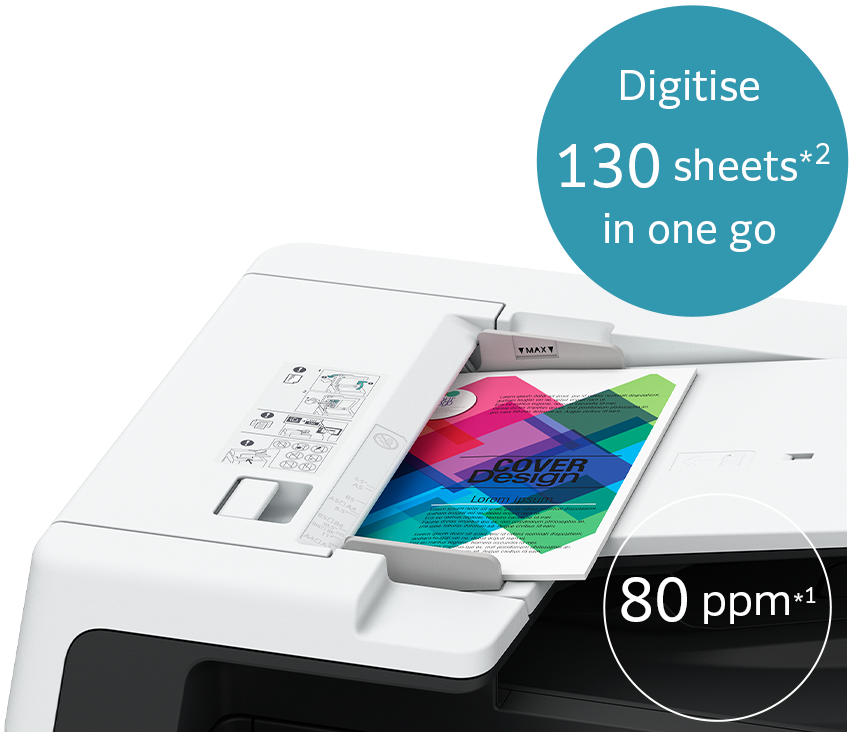
1 pass, 2-sided colour scanning of up to 80 ppm*1
The high-speed 1-pass, 2-sided scanning Automatic Document Feeder holds up to 130 sheets*2 and scans 2-sided document in one go, allowing you to digitise large documents swiftly and effortlessly.
- Note: Installed for Model-CPS-B as standard.
- *1: Our Standard Document (A4 LEF), 200 dpi, to Folder.
- *2: 70 gsm paper.
 The large grip width makes it easier to lift the automatic document feeder.
- Supports scanning of small-sized documents (49 x 85 mm), thick cheques and thin paper receipts (38 to 128 gsm).
- Note: Custom Sizes from 49 x 85 mm to 55 x 91 mm are available from 38 to 209 gsm.
- Scanned documents can be transferred to e-mail, PC, or shared servers.
- Supports multi-sending, such as saving a copy to your PC while sending an e-mail to a client in a single scan.
- Scan directly to / print directly from a standard USB 2.0 flash drive for greater work efficiency.
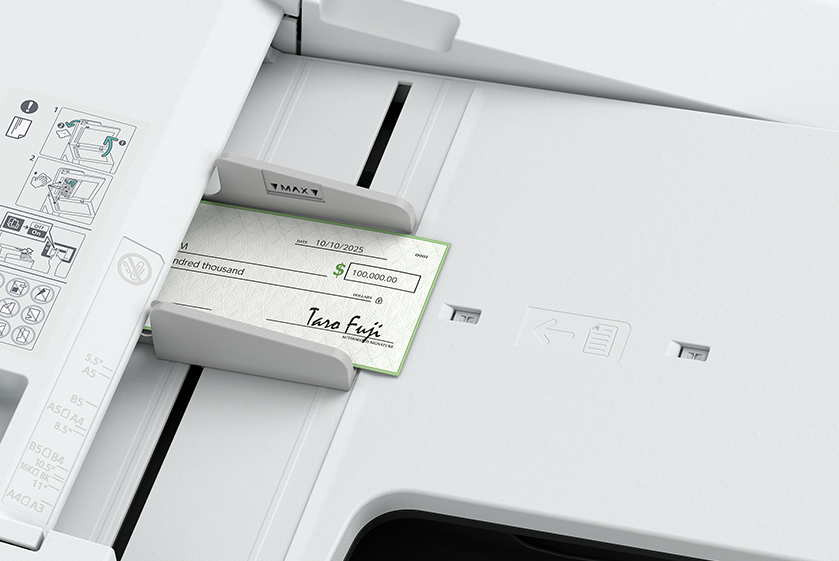
Automatically scans small originals as-is to a standard size
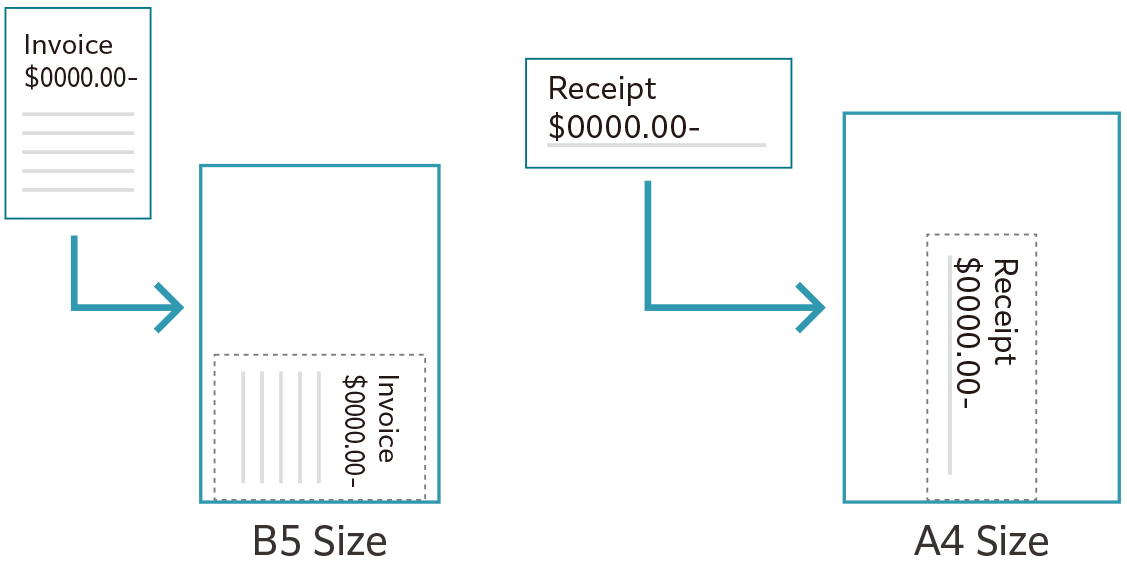
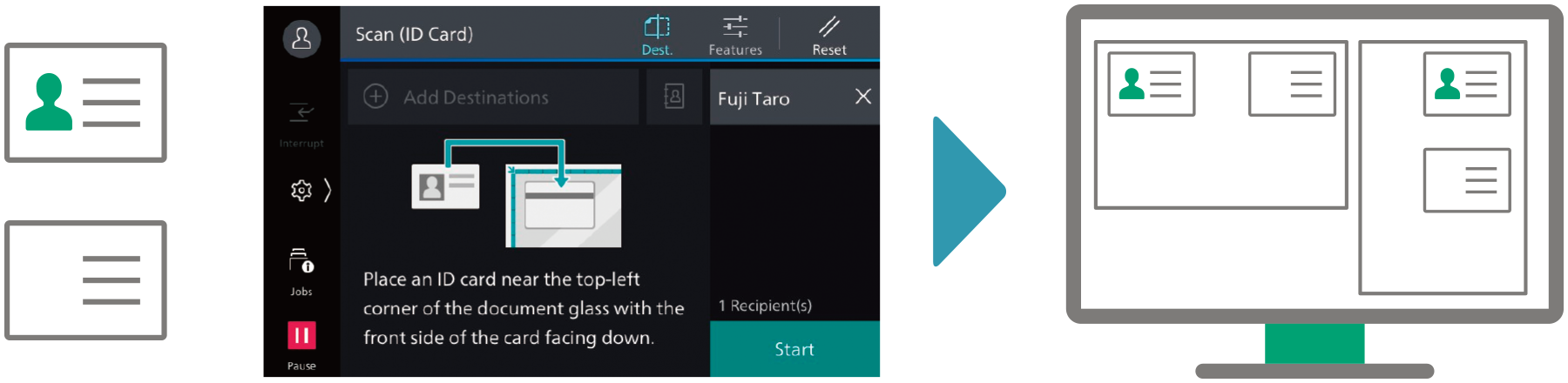
Copying and scanning ID Cards
You can copy both sides of an ID card on a single sheet of paper, or scan and transfer to SMB / FTP / SFTP / Email / URL / My Folder, allowing for easy access and printing when needed.
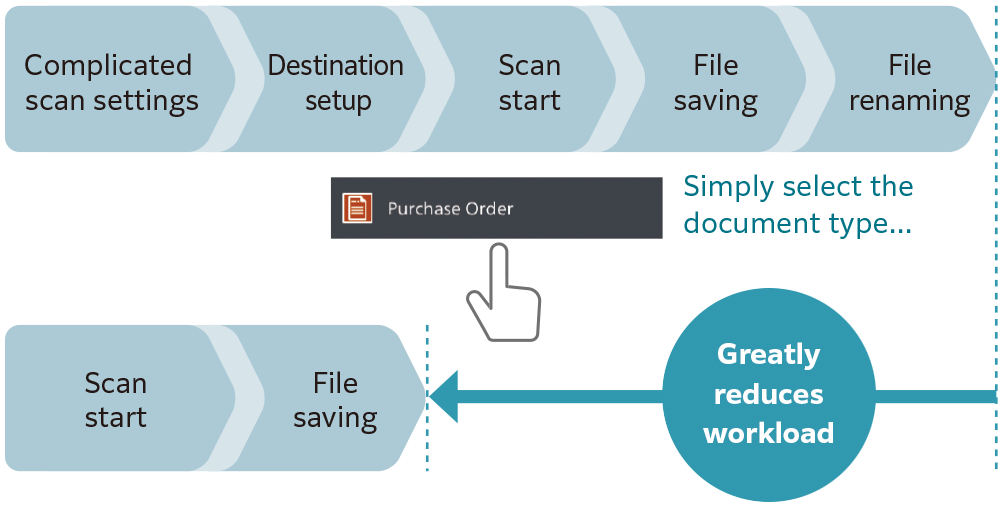
Digitisation of paper documents for effortless document management
Scan Delivery Light* reduces your scanning workload by simplifying complicated and repetitive scanning workflow.
Standard rules and templates can be created easily, allowing you to complete multiple actions (scan settings, storage destination designation and file renaming) with a single touch.
Scanned information can also be managed and utilised centrally, improving productivity and resource optimisation.
- * Optional.
Scan Delivery Light
Serverless solutions for smarter business operations
Our multifunction printer supports serverless solutions, helping you reduce operational costs and improve efficiency without the need for additional hardware investment such as server.
- Serverless Authentication* integration manages and shares user authentication information securely between multiple printers without the need of a server.
- Serverless On-Demand Print* manages and connects multiple devices, having the flexibility to print and collect the printouts from any of the connected devices.
- * Optional.
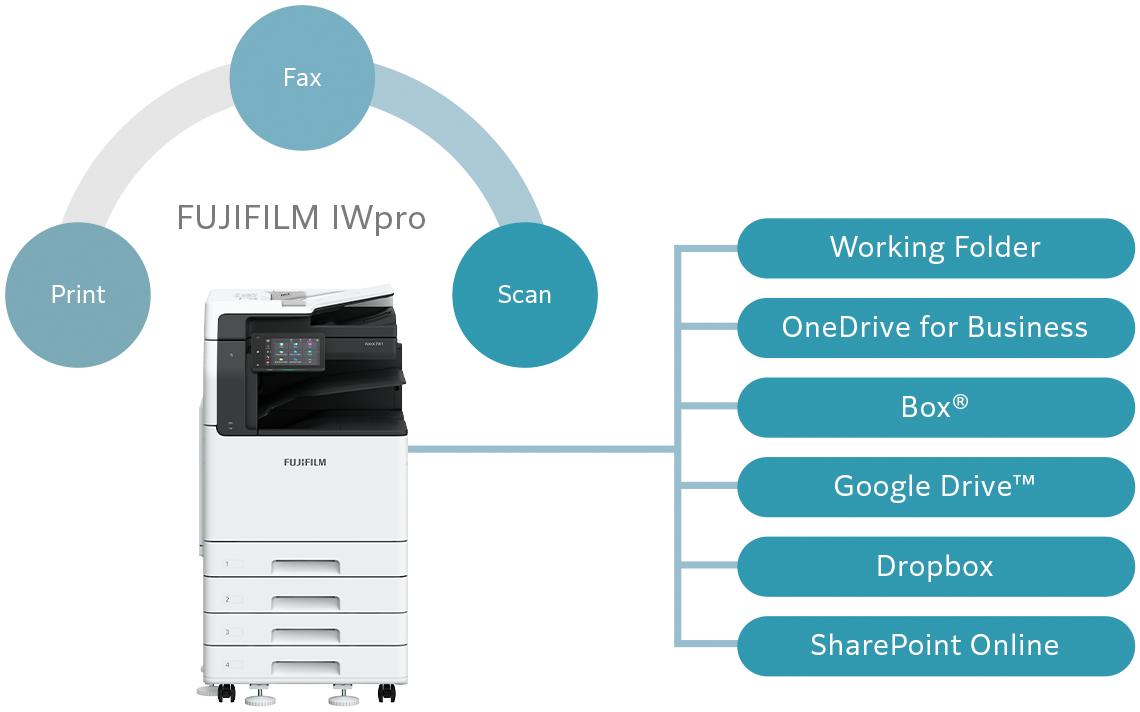
Seamless integration of multifunction printer and cloud storage
By linking FUJIFILM IWpro* on the multifunction printer with cloud storage, digitised documents can be utilised easily. You can automate the process of assigning folder and file names to scanned or received fax documents, and storing them in a designated location, including the cloud storage. Documents can be previewed directly from the operation panel of the multifunction printer before printing. Seamless printing environment can be achieved without the need for a PC.
Print securely, anywhere, from any device
Documents uploaded to FUJIFILM IWpro can be securely output from remote office locations, enabling hybrid work styles for greater flexibility.
- * FUJIFILM IWpro is a cloud service provided by FUJIFILM Business Innovation. A separate contract is required for this service.
FUJIFILM Business Innovation aims to address environmental issues through climate change mitigation and resource circulation efforts in our business activities. Our products are developed with various innovations and technologies that balance environmental impact reduction and usability.
New toner and a fusing unit with low fusing temperature and high image quality
Toner fusing is the most energy-intensive process in a multifunction printer. To reduce power consumption, we are introducing new technologies in our toner and fusing unit.
Our new toner features functional resin and small particle technology, enabling fusing at an industry-leading low temperature*1. Together with the new fusing unit, the Apeos 3561 series achieves a fusing temperature that is 22 degrees lower than the previous model*2.
This breakthrough reduces environmental impact while maintaining exceptional image quality, delivering sharp text, precise lines and smooth gradation.
- *1: The toner fusing temperature for A3 laser multifunction printers based on internal study conducted in May 2025.
- *2: Apeos 3560 series.
Designed for now and for the future
In the effort to promote recycling of resources, recycled plastic materials are used* for parts such as the front cover and trays. We have overcome challenges to devise ways to suppress uneven colour of the appearance of recycled plastic, which is said to be difficult to mold. And by improving the strength and rigidity of the parts, we ensure the quality of the product.
Furthermore, our products have been redesigned to allow easy disassembly and cleaning, making them easy to reuse and recycle in the future.
- * In the case of 4 Tray configuration with Duplex Automatic Document Feeder. 15 % of the total plastic weight of the device is recycled material.
Technologies for energy conservation
- Less energy and compact with high resolution printing on LED printhead.
- Saves energy with quick startup and smart power saving feature that solely powers on the required parts according to the functions being used by users.
As network connected information devices, the multifunction printer is equipped with state-of-the-art security features to protect your valuable information assets from cyber-attacks and rapidly evolving security threats.
Protect from unauthorised user
- Unauthorised operations and access are prevented by user authentication and usage restrictions.
- Expansion with Secondary Ethernet* allows a single multifunction printer to be used on a separated network, etc.
- * Optional.
Protects Data
- Encryption of communication paths with TLS and IPsec
- Protection of scanned files and e-mails through encryption/electronic signatures
- Data writing to SSD is encrypted with robust AES-256 encryption, etc.
Protect from unauthorised access
- Account lock function
- Restriction of accessible IP addresses
- Prevention of software tampering during multifunction printer startup and operation
- Automatic repair function upon detection of tampering at startup, etc.
Prevent information leaks due to operational errors
- Fixing the delivery destination of scanned documents
- Double input of fax destinations, etc.
Easy solutions to resolve problems
From supplies replacement to unexpected device failures, most problems can be resolved without waiting for the service representatives or sales representatives.
1. Resolve problem using the "Help" function on the device
- Self Help information is available on the control panel
- Self Help information can be accessed via the mobile device by scanning the QR code displayed on the control panel
2. "Remote Assistance" with the help of operators
- Connects directly to the Support Centre
- An operator will remotely access the multifunction device to resolve the problem by guiding through the steps on the shared control panel
Device Setup Editor
Device Setup Editor is a service that always backs up the latest setting information to a cloud server. It allows you to be prepared for unexpected situations and use your multifunction printer with confidence.
- Note: You need to apply for using the Device Setup Editor. (free of charge)
Keeping a close eye on your multifunction device on a daily basis
Connecting your multifunction printer to our EP service* via the internet allows for checking of billing meter, automatic delivery of consumables when cartridges level is low, daily status monitoring, and machine error detection for early intervention to rectify problem. This minimises operation downtime and reduces administrator's burden.
- Note: The content of the services provided may vary depending on the usage region. For details, please contact one of our sales representative.
- * You need to apply for using the EP service. (free of charge)
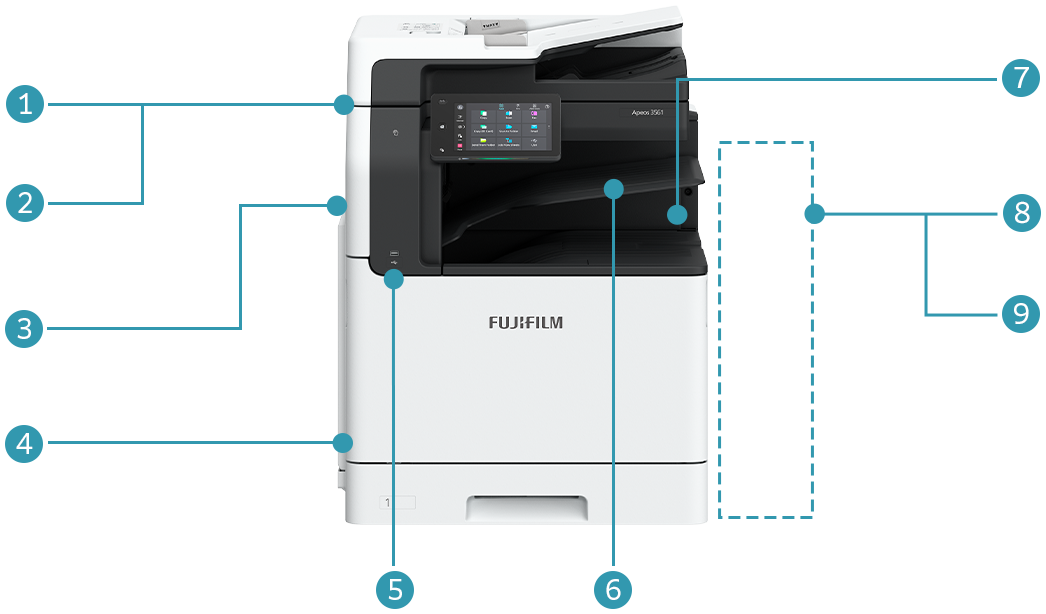
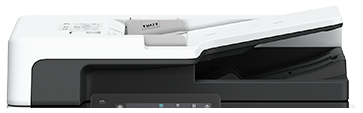
①Duplex Automatic Document Feeder B4-PC
- Standard for Model-CPS-B
- 1 pass, 2 sided scanning
- Note: Not available as an option.
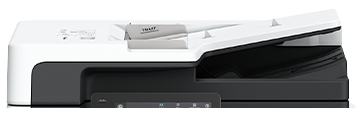
②Duplex Automatic Document Feeder B1-C
- Standard for Model-CPS
- Note: Not available as an option.
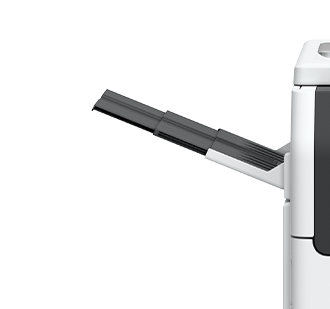
③Side Tray (Optional)
④Long Paper Inserter (Optional)
⑤Standard Scan to / Print from USB Memory

⑥Standard Exit 2 Tray
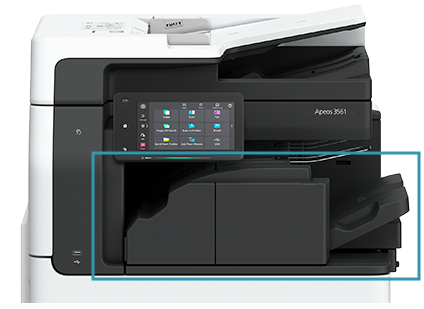
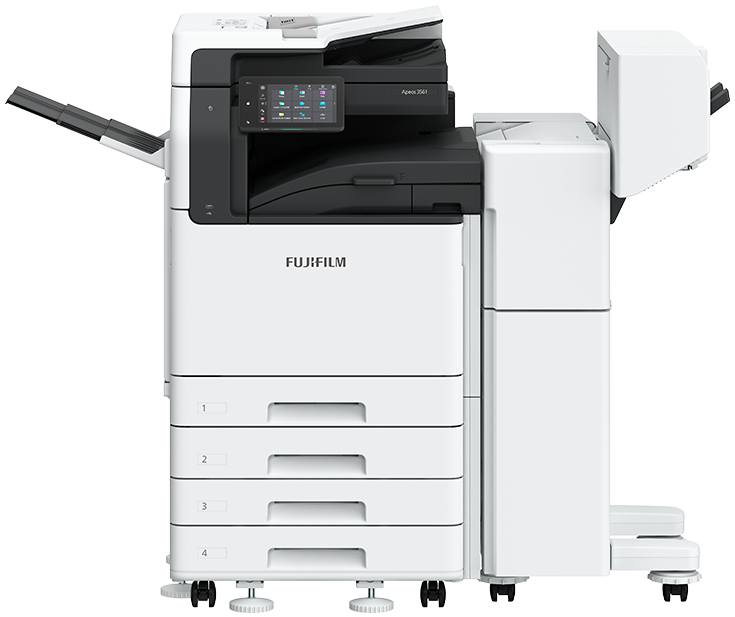
⑦Finisher-A3 (Optional)
- Staple
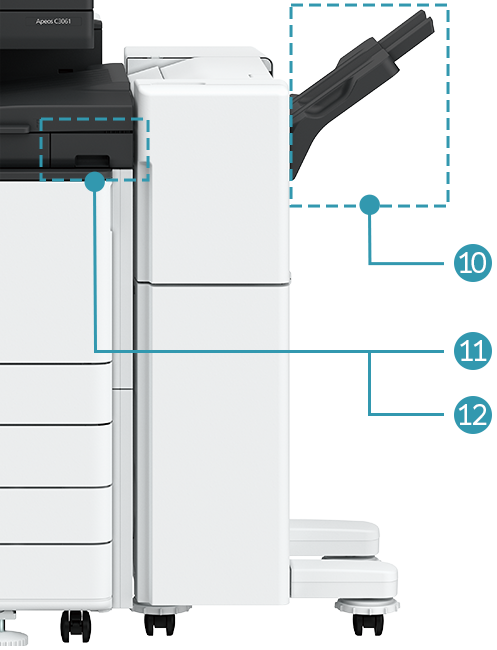
⑧Finisher-B5* (Optional)
- Staple-free Staple
- Staple
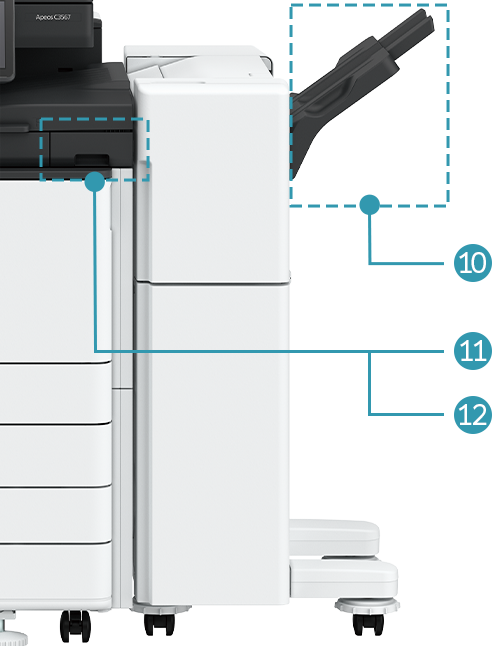
⑨Finisher-B4* (Optional)
- Staple
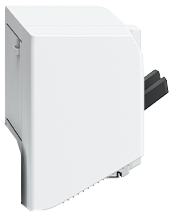
⑩Booklet Maker Unit for Finisher-B (Optional)
⑪2/4 Hole Punch Module for Finisher-B (Optional)
⑫2/3 Hole Punch Module for Finisher-B (Optional)
- * Optional 3 Tray Module or 1 Tray Module with Cabinet and KIT Finisher-B4/B5 INST are required.
Tray Module (Optional)

1 Tray Module
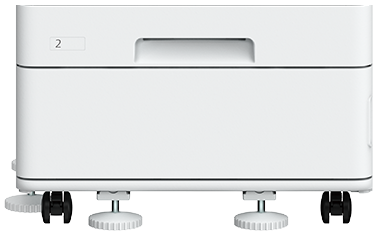
1 Tray Module with Cabinet
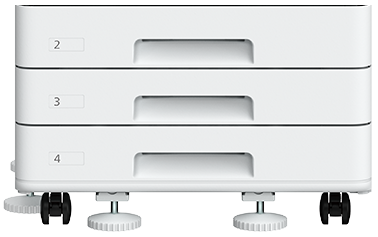
3 Tray Module
Brochure
Apeos 3561 / 2561 Brochure
- File Size:
- 1.25 MB
- Document Type:
- Portable Document Format
You may download the PDF here
Apeos 3561 / 2561 BrochureHow To Buy
Apeos 3561 / 2561
We make it easy for you to purchase products, supplies and services from us. Our extensive network of representatives can help you choose the right solutions for your business needs.